
OVERVIEW
A leading dental and orthodontics manufacturer partnered with our team to design a Sales Tool Dashboard that would help field sales teams generate custom hygiene reports for dental practices. The goal was to replace error-prone Excel workflows with a scalable, data-driven interface that enables sales reps to analyze practice data, present compelling insights on-site, and ultimately drive higher conversions. This project focused on transforming raw, fragmented data into real-time, actionable sales intelligence.
MY ROLE
Lead Product Designer
RESPONSIBILTIES
Primary research, Features prioritization, UI & Interaction Design, Usability Testing
TEAM
Stakeholder’s team, Product Manager, Dev team
DURATION
2 weeks
OUTCOME
Designed a 0→1 web app prototype that was pitched to a dental manufacturer client’s leadership to demonstrate how a data-heavy yet easily comprehensible dashboard can improve sales efficiency, reduce friction, and unlock new business value. Analysis showed that integrating this web experience into the client’s existing sales workflows increased sales by a minimum of 12% each quarter, with the potential to unlock further revenue impact and measurable operational efficiency gains through AI integrations.
FIRST QUARTER RESULTS
68% Platform Adoption
|
15% increase in practices on platform
|
9.5% Increase in revenue (Q2)
PROBLEM
Dental equipment sales depend heavily on practice-level data, but the existing workflow relied on large, manually maintained Excel sheets.
This created three critical challenges:
Sales reps manually entered and reconciled data during live pitches, slowing conversations and reducing credibility.
Sales Managers spent excessive time building practice lists by zip code, analyzing prospects, and assigning territories manually.
There was no access to real-time practice data (e.g., implant volume), limiting visibility into high-value opportunities and directly impacting revenue.
In short, sales decisions were being made with outdated, error-prone data.
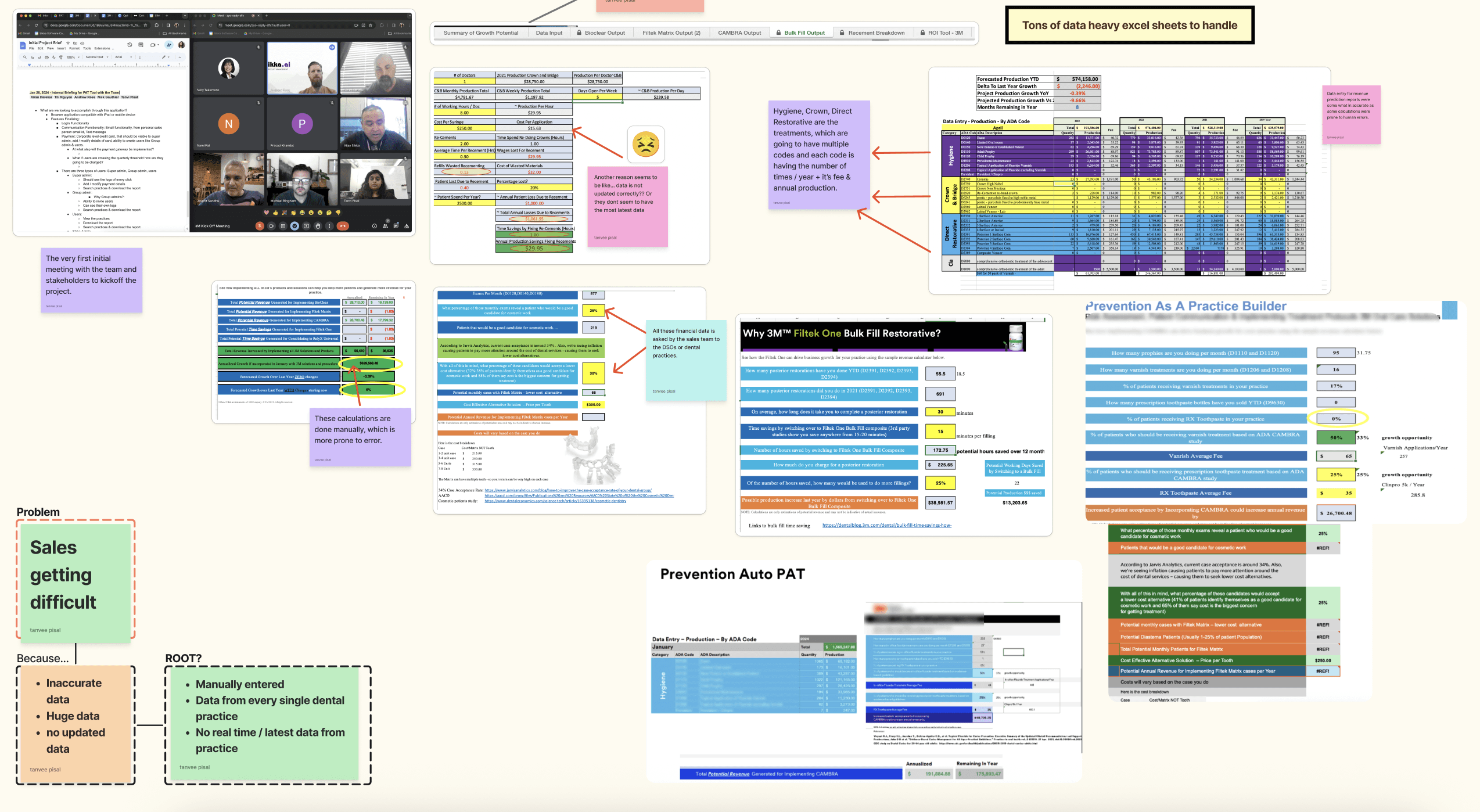
Data Heavy Excel sheets & process of understanding the complex data
RESEARCH & INSIGHTS
During the discovery phase, I mapped user emotions and friction points across the entire journey, which helped me clearly identify where cognitive load was highest and where thoughtful moments of delight could be introduced. Since 95% of the target users were Sales Representatives, research revealed that excessive time spent manually reconciling data caused frequent frustration and errors. Visualizing the end-to-end user journey was critical in prioritizing feasible, high-impact solutions. The insights showed that automating repetitive tasks could significantly reduce workload, free users for higher-value work, and create scalable value—not only for dental manufacturers, but also for insurance and other data-heavy industries.
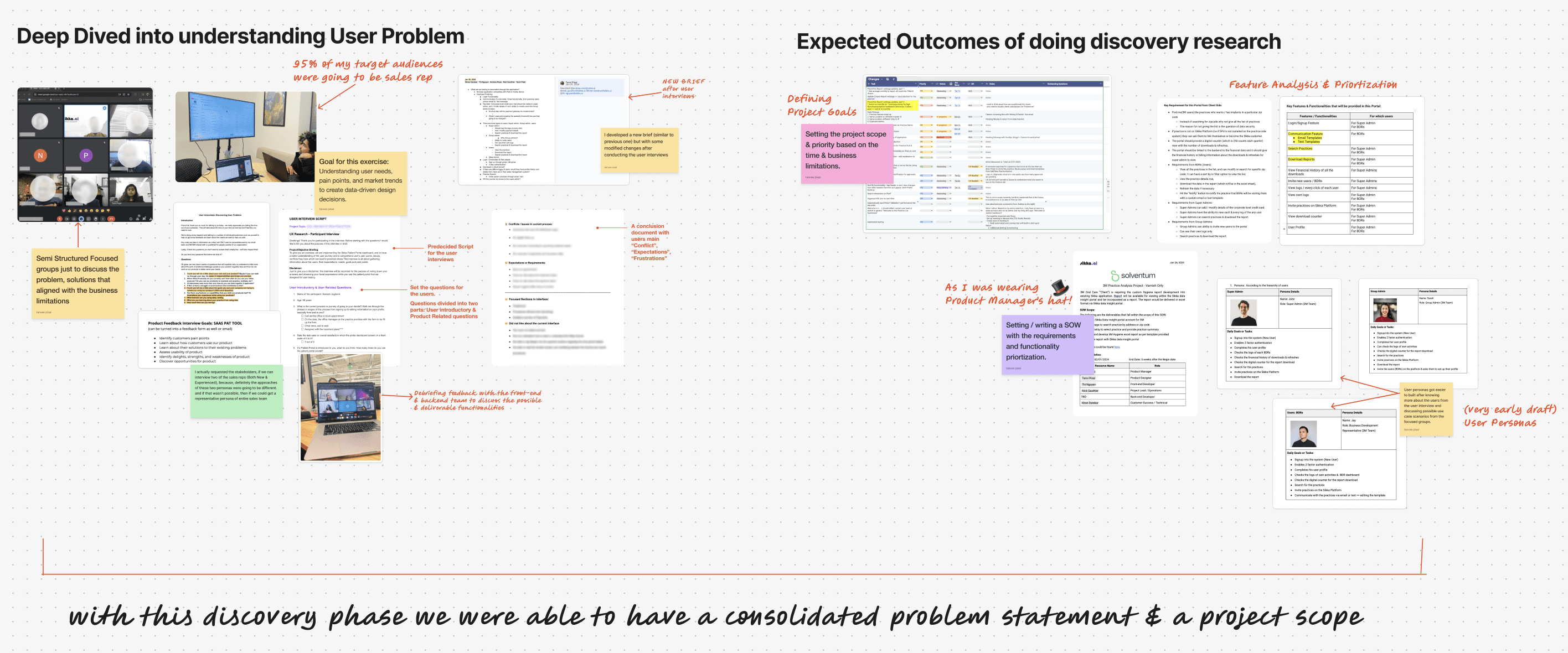
PRIMARY AUDIENCES
A B2B product, our primary audiences will be organization’s Managers (Super admin) & Business Developments Representatives (BDRs). The product will be used by BDRs extensively & the data will be monitored by super admins.
USAGE
BDRs would use the portal on a daily basis.
PLATFORM
iPad
PROPOSED SOLUTIONS
Design a Dashboard that automatically generates pre-filled, editable hygiene reports for each dental practices.
Key Capabilities
Auto-populate practice data into editable PDF hygiene reports
Allow sales reps to quickly adjust values and present compelling, data-backed insights on-site
Eliminate manual Excel entry by integrating existing spreadsheets with automated data pipelines
Provide real-time visibility into practice metrics to support better sales targeting
Outcome: Faster sales conversations, higher trust, fewer errors, and improved conversion potential.
DESIGN PROCESS
After completing journey mapping, I moved directly into task flows. Since the high-level pain points were already clear, the goal was to zoom into specific, high-friction tasks and understand exactly where users were slowing down, making errors, or dropping context. Mapping task flows allowed me to break complex workflows into clear, step-by-step actions, identify unnecessary steps, and pinpoint where automation or better UX could reduce effort. This clarity set a strong foundation for design and prototyping, ensuring solutions directly addressed real user problems rather than assumptions.
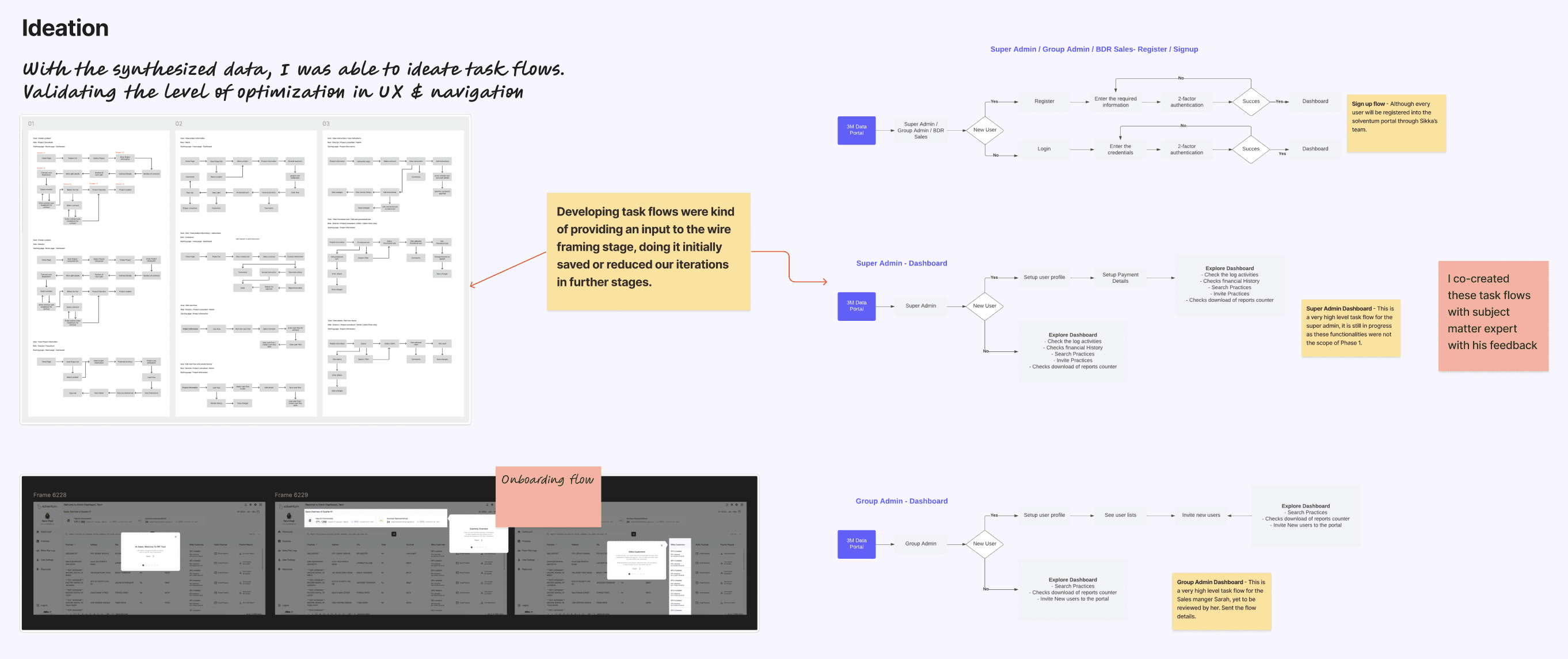
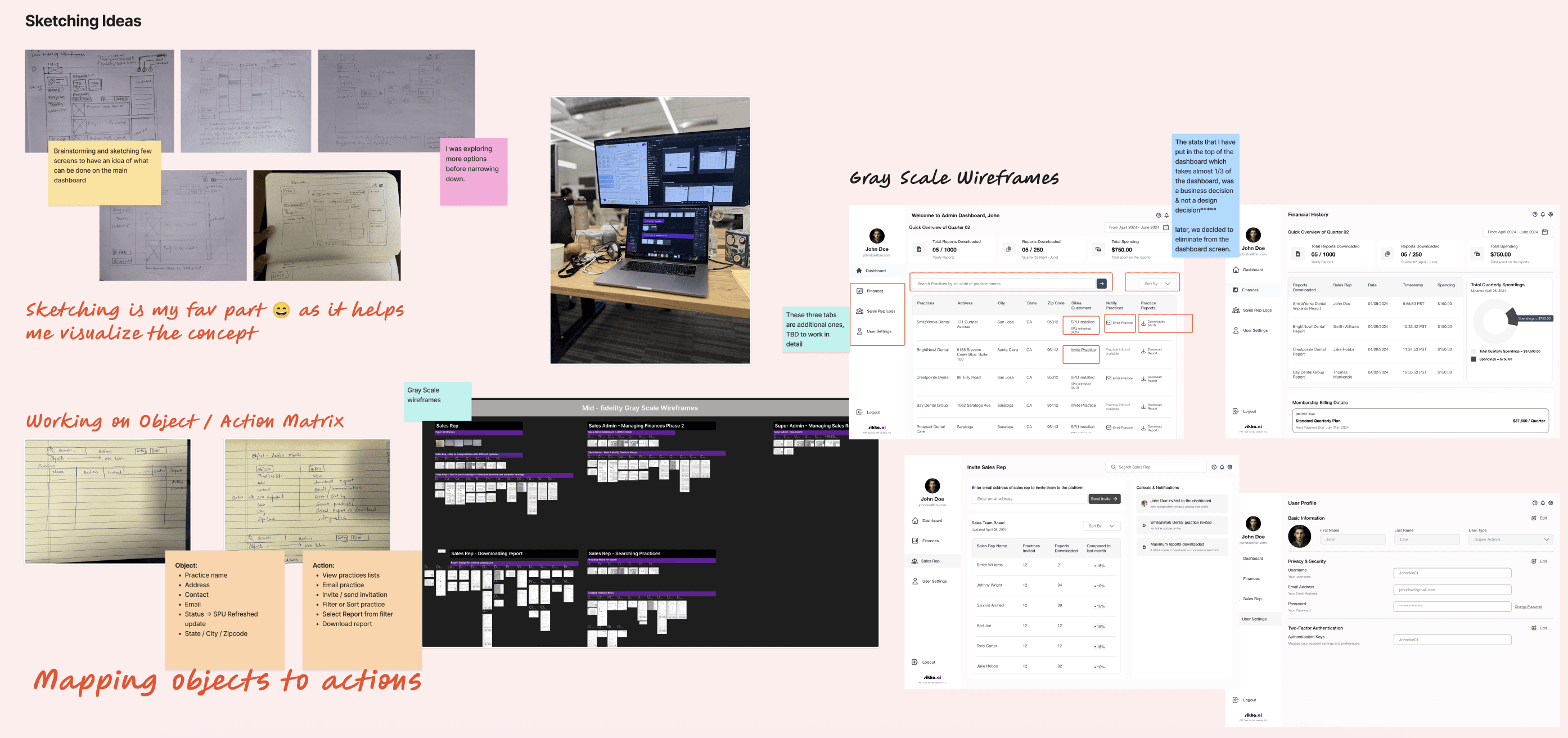
SKETCHING / GRAY SCALE WIRFERAMES
The task flows revealed specific breakdowns where users lost time and context, helping me identify the highest-impact opportunities for simplification and automation. I translated these insights into quick sketches to explore layout, hierarchy, and interaction patterns before moving into high-fidelity design.
VALIDATION, TESTING & FEEDABCK
While external testing was constrained, I conducted internal usability reviews to validate:
Navigation clarity
Task completion speed
Report download and refresh flows
Feedback was incorporated iteratively to refine the experience.
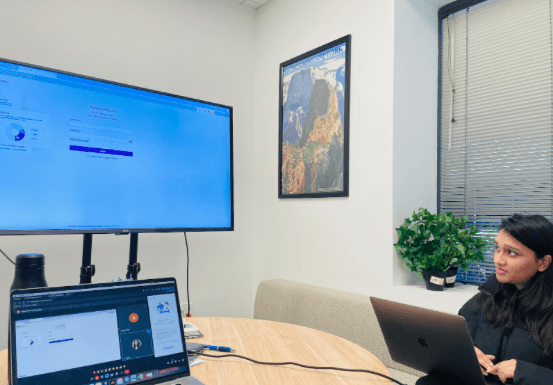
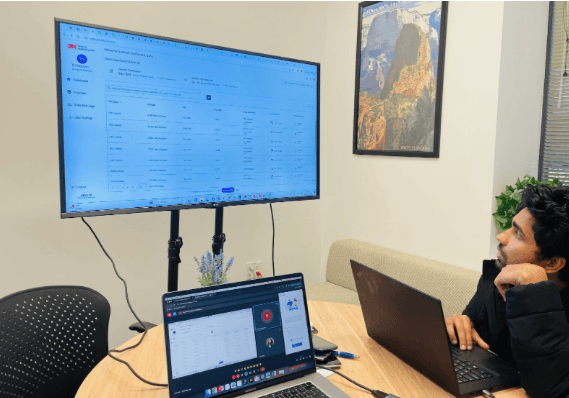
Key Usability Issues Identified
Since testing was conducted with the sales team, the feedback couldn’t be treated as just a UX issue—it clearly surfaced a business problem. Confusing filters, unclear actions, and slow workflows reduced sales confidence during live pitches, directly impacting conversion rates. Improving clarity and speed in the dashboard was essential to enable stronger sales conversations and protect revenue.
OUTCOME
Phase 1 launched in May 2024, establishing a scalable, real-time sales enablement foundation.
Automated workflows drove measurable business results, including higher sales adoption, increased report usage, and new customer growth.
Enabled faster, more confident sales conversations, unlocking efficiency and revenue potential.
Positioned the product for expansion across additional manufacturers and data-heavy industries.
KEY LEARNINGS
Strong stakeholder alignment is critical under tight timelines
Even partial automation can dramatically reduce cognitive load
Designing for field sales requires ruthless prioritization and clarity
Complex problems don’t always need complex interfaces
FINAL THOUGHTS
This project reinforced my belief that great design is not about adding features—it’s about removing friction. By grounding decisions in user pain points and business outcomes, we transformed a manual, error-prone process into a scalable sales system with real revenue impact.