
OVERVIEW
A construction management dashboard designed to help organizations track, manage, and prioritize projects through a simple, intuitive web interface. The platform enables visibility across roles—allowing stakeholders, consultants, contractors, and admins to access project data based on permissions, improving coordination and productivity.
MY ROLE
Lead Product Designer
RESPONSIBILTIES
UI & Interaction Design · Information Architecture · Prototyping · Usability Testing
TEAM
Stakeholder’s team,
2 UX designers
DURATION
7 weeks
What was my role & responsibility?
I worked end-to-end on this project, from discovery to final UI delivery. My responsibilities included understanding user pain points across multiple roles, simplifying complex project data, defining user flows, designing wireframes and UI, and validating solutions through usability testing.
I collaborated closely with stakeholders to translate complex construction workflows into a scalable, role-based dashboard experience.
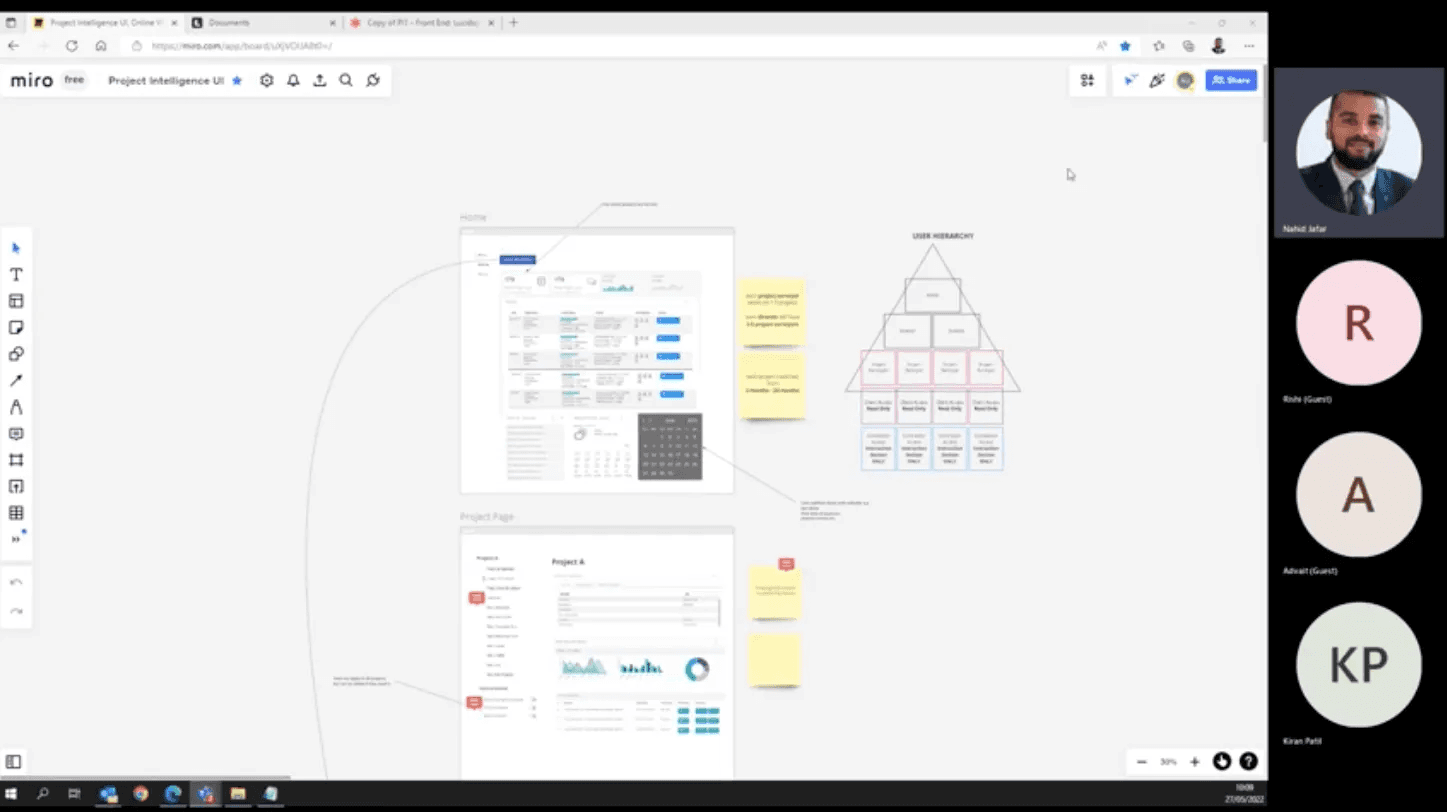
What was the opportunity space?
Construction teams were struggling to manage projects efficiently due to fragmented data, unclear ownership, and lack of visibility into timelines, costs, and workloads. Existing tools made it difficult to:
Track project progress and ownership
Understand employee workload distribution
Prioritize projects based on deadlines and financial impact
Anticipate delays and cost overruns
This presented an opportunity to design a centralized, role-aware dashboard that could reduce cognitive load and improve decision-making.
Problem & Key Concerns
Difficulty tracking multiple projects and responsible employees
Poor visibility into individual workload distribution
Low productivity due to lack of prioritization tools
Inability to foresee delays based on cost, timelines, and dependencies
High time and cost overhead in managing projects manually
Goals
Improve clarity and understanding of project data
Enable better project ownership and workload redistribution
Support multiple user roles with appropriate permissions
Build a scalable, simple, and intuitive system
PROCESS
Discovery & Ideation
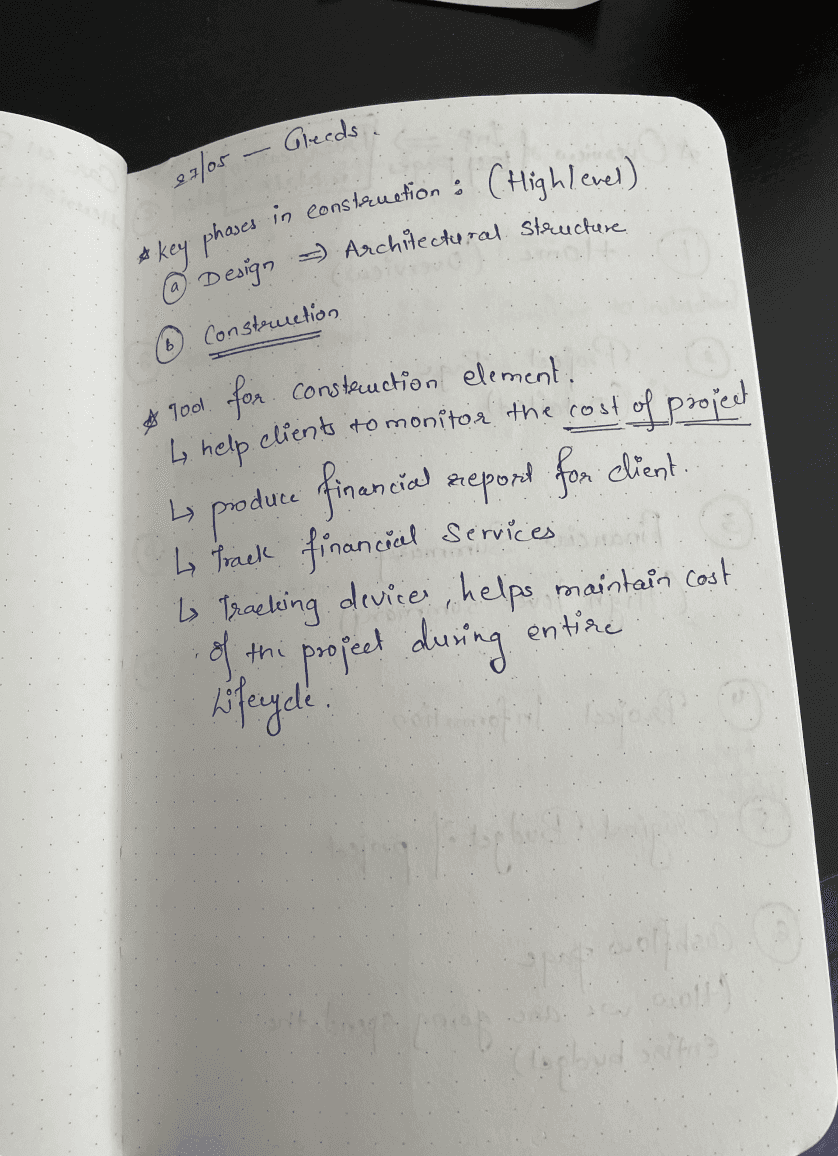
I began by understanding the needs of five key user roles: Director, Admin, Consultant, Contractor, and Client. Through stakeholder discussions and analysis, I identified pain points and mapped user needs to system capabilities.
To make sense of highly complex datasets, I worked on:
Decluttering raw data provided by stakeholders
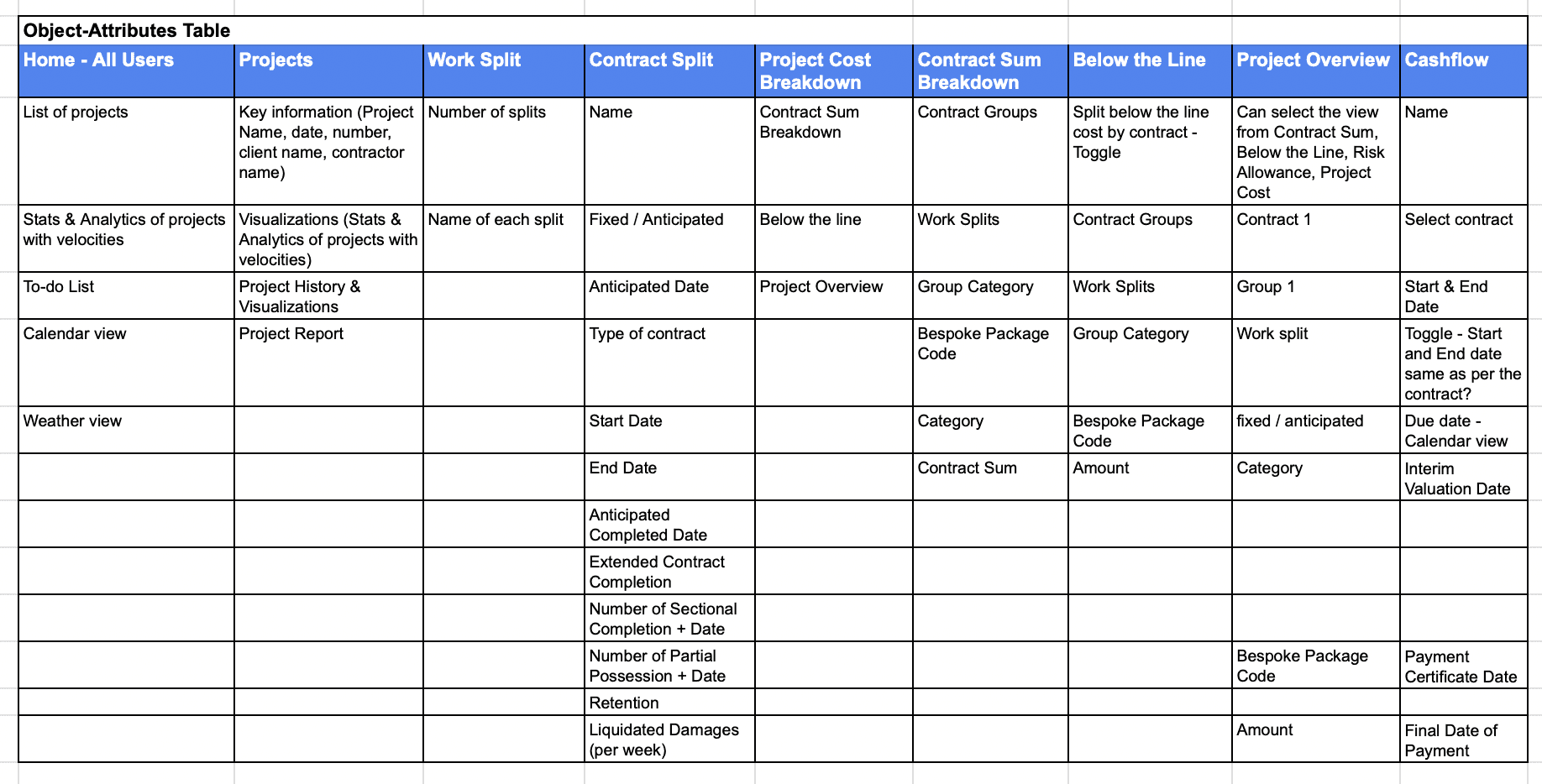
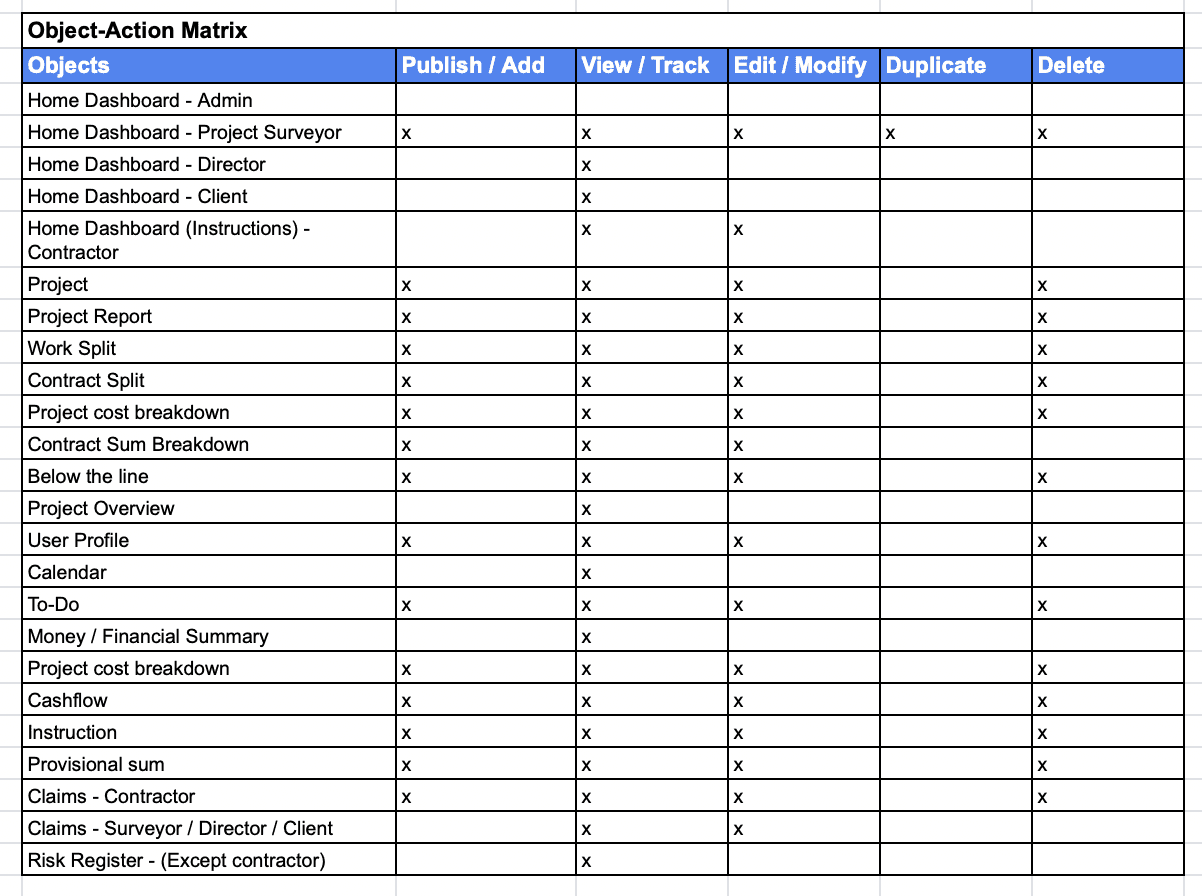
Creating object–action and object–attribute matrices
Validating assumptions through stakeholder reviews
This significantly reduced cognitive load and improved shared understanding across teams.
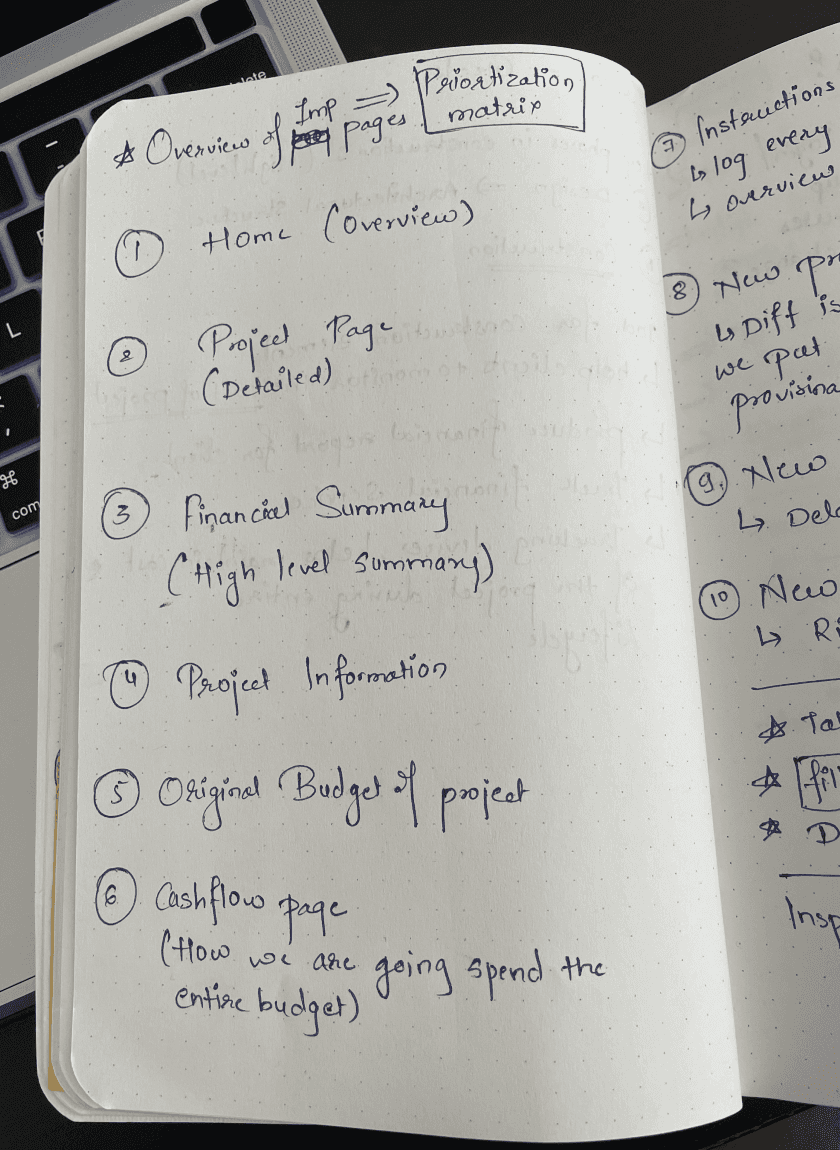
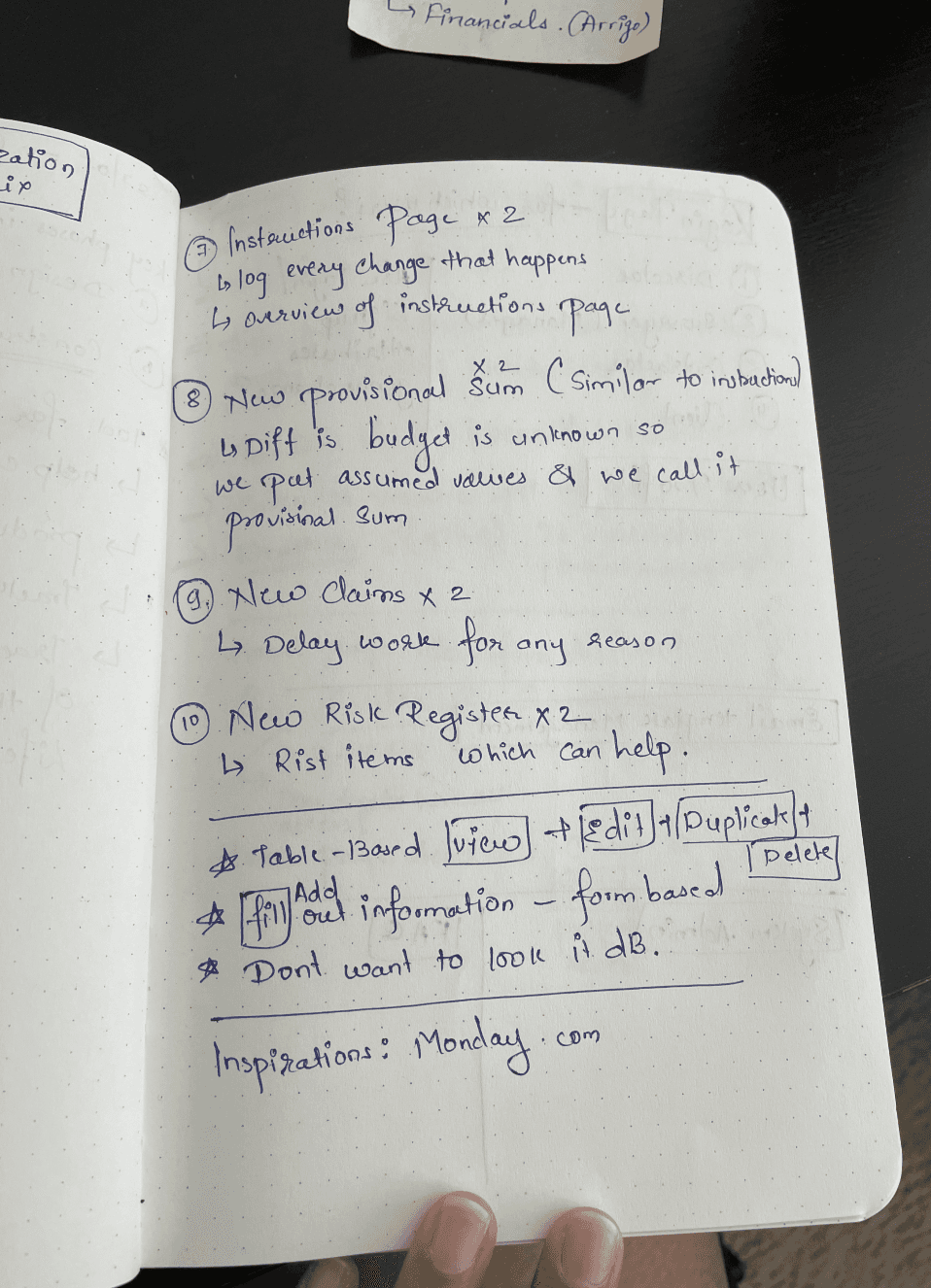
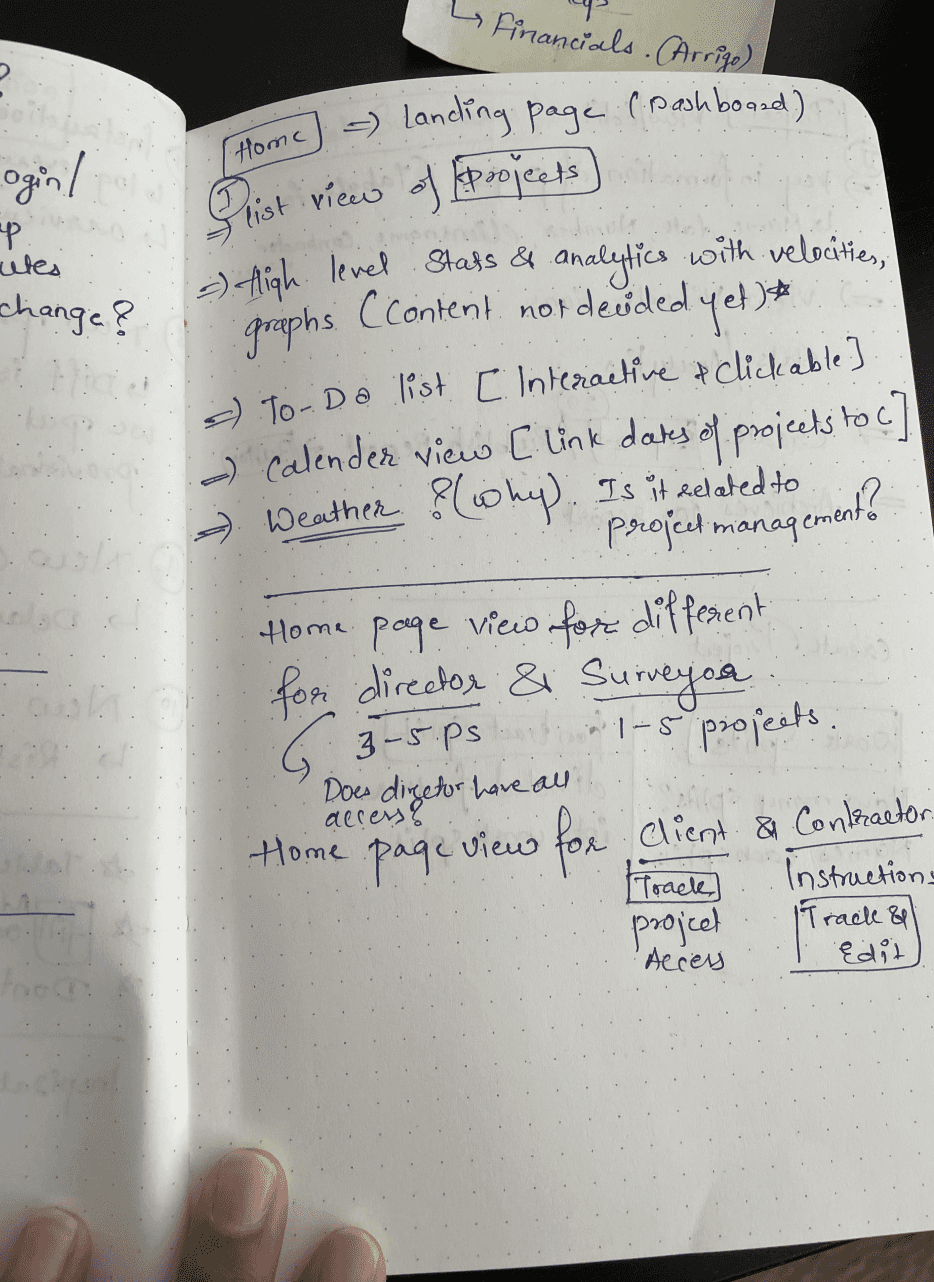
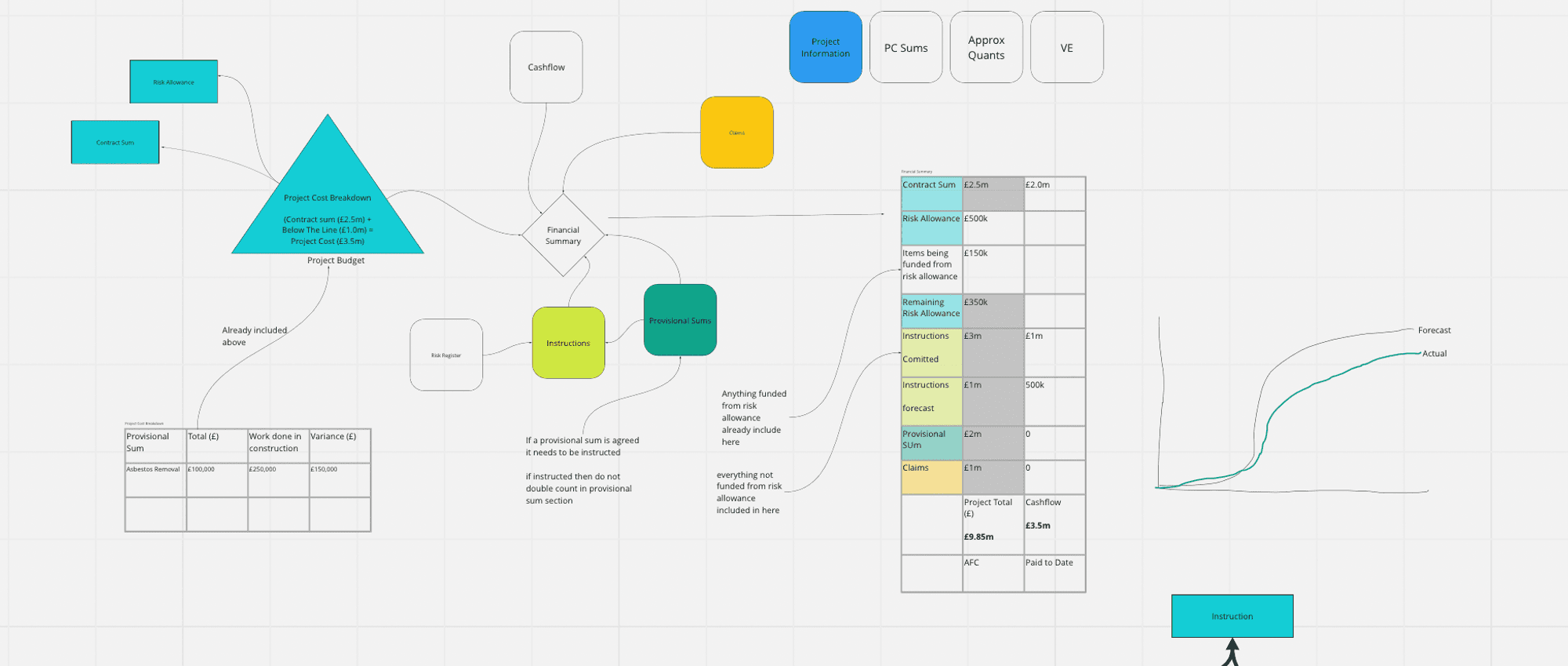
Data Understanding & debriefing
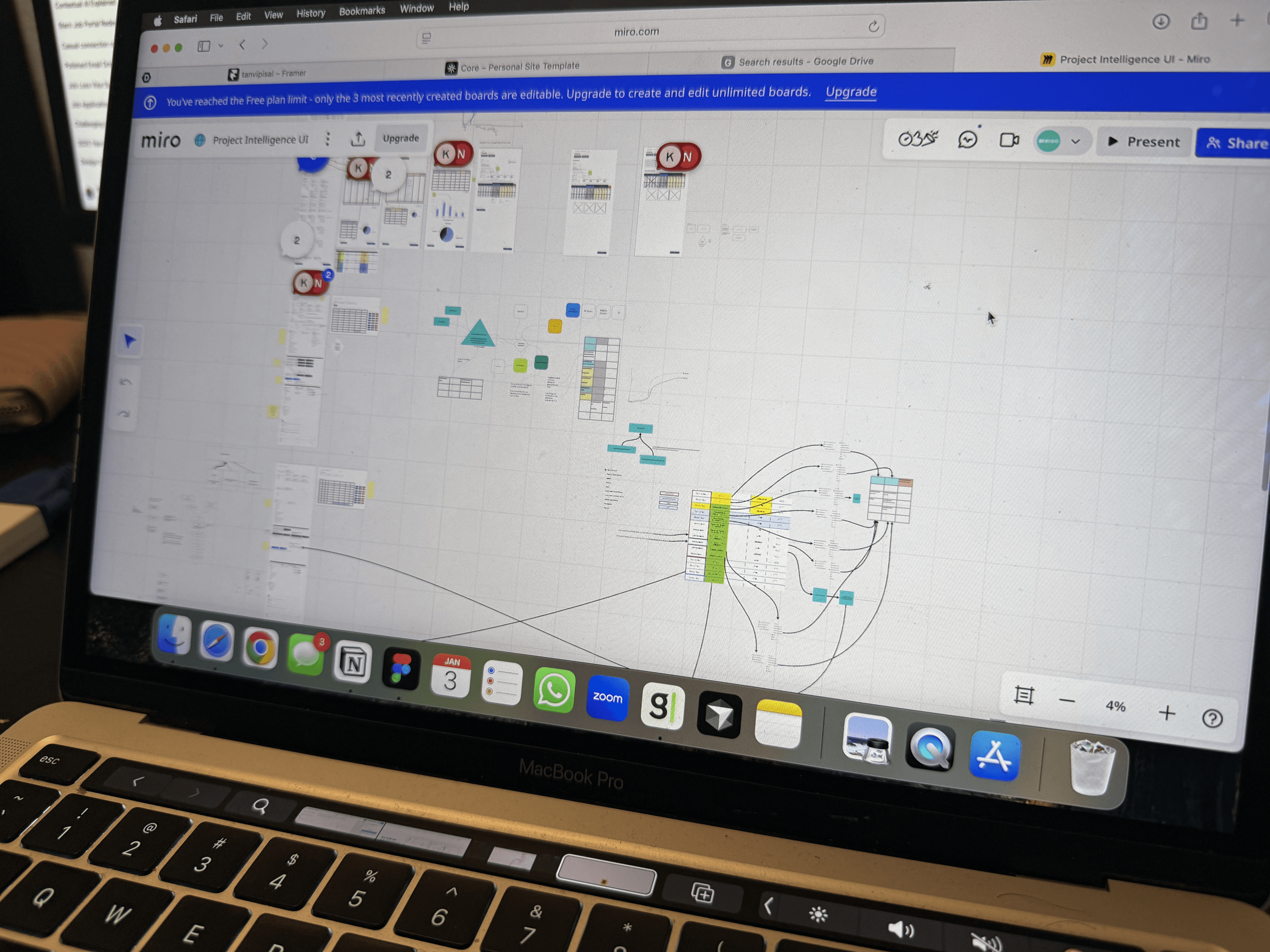
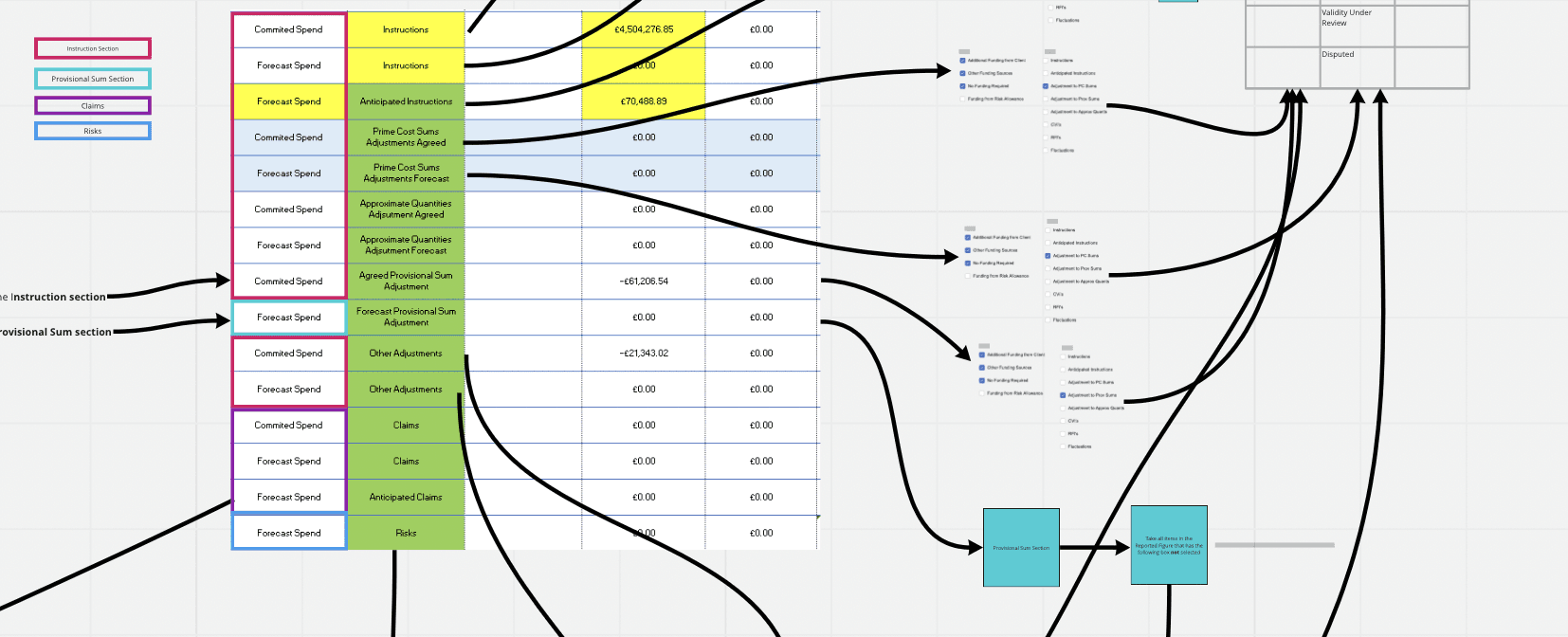
This is how data was presented and explained to us by the stakeholders team and the task was to declutter the data and understand the complex flows and make it simpler to comprehend.
The first task we did with the data points was build a Object - Action & Object - Attributes matrix and presented it to the stakeholder to cross-verify and validate the matrix. With the stakeholders feedback, we were able to significantly reduce the cognitive load in understanding the complex & cluttered data.
Use Case Scenarios & Information Architecture
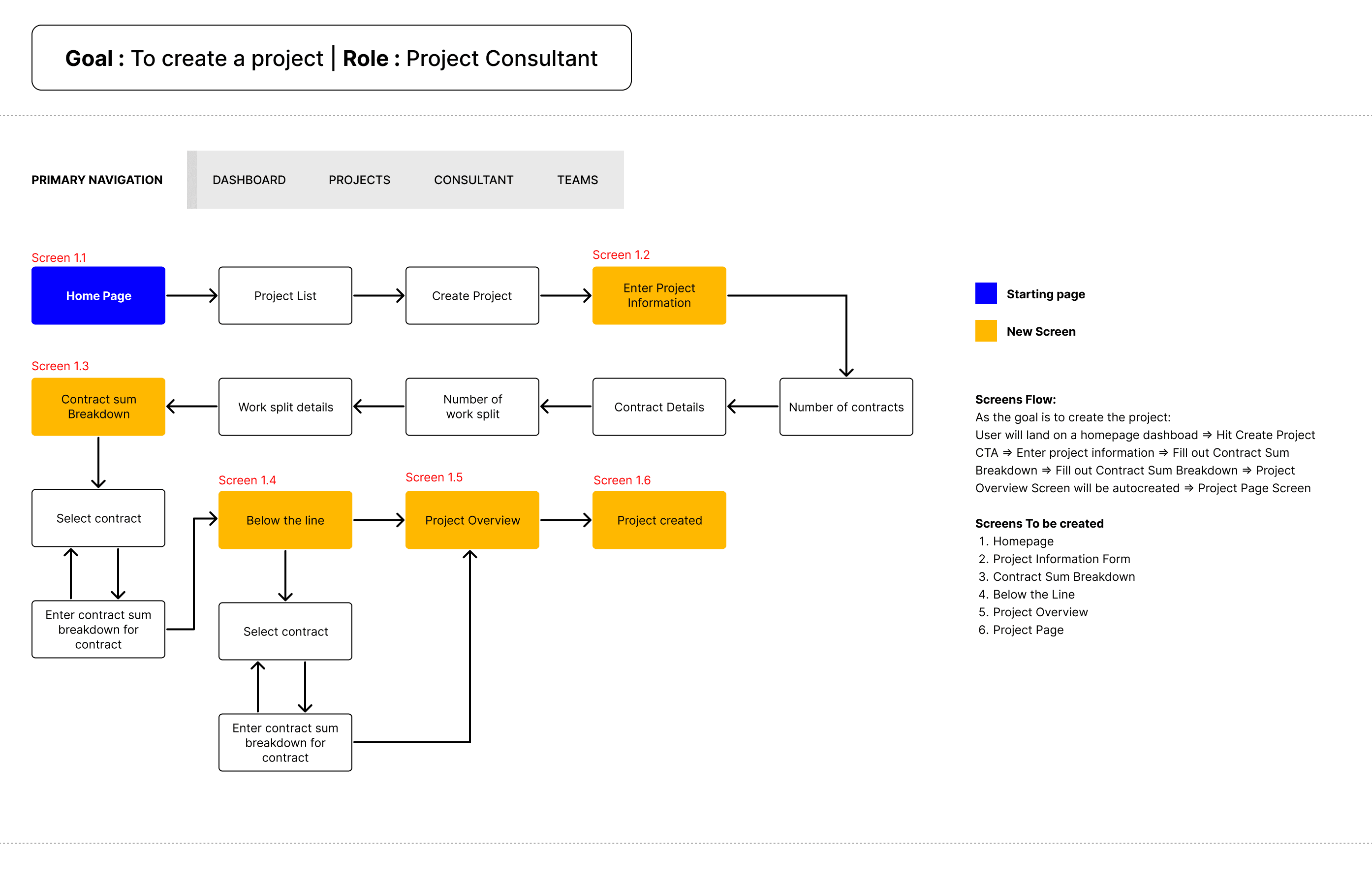
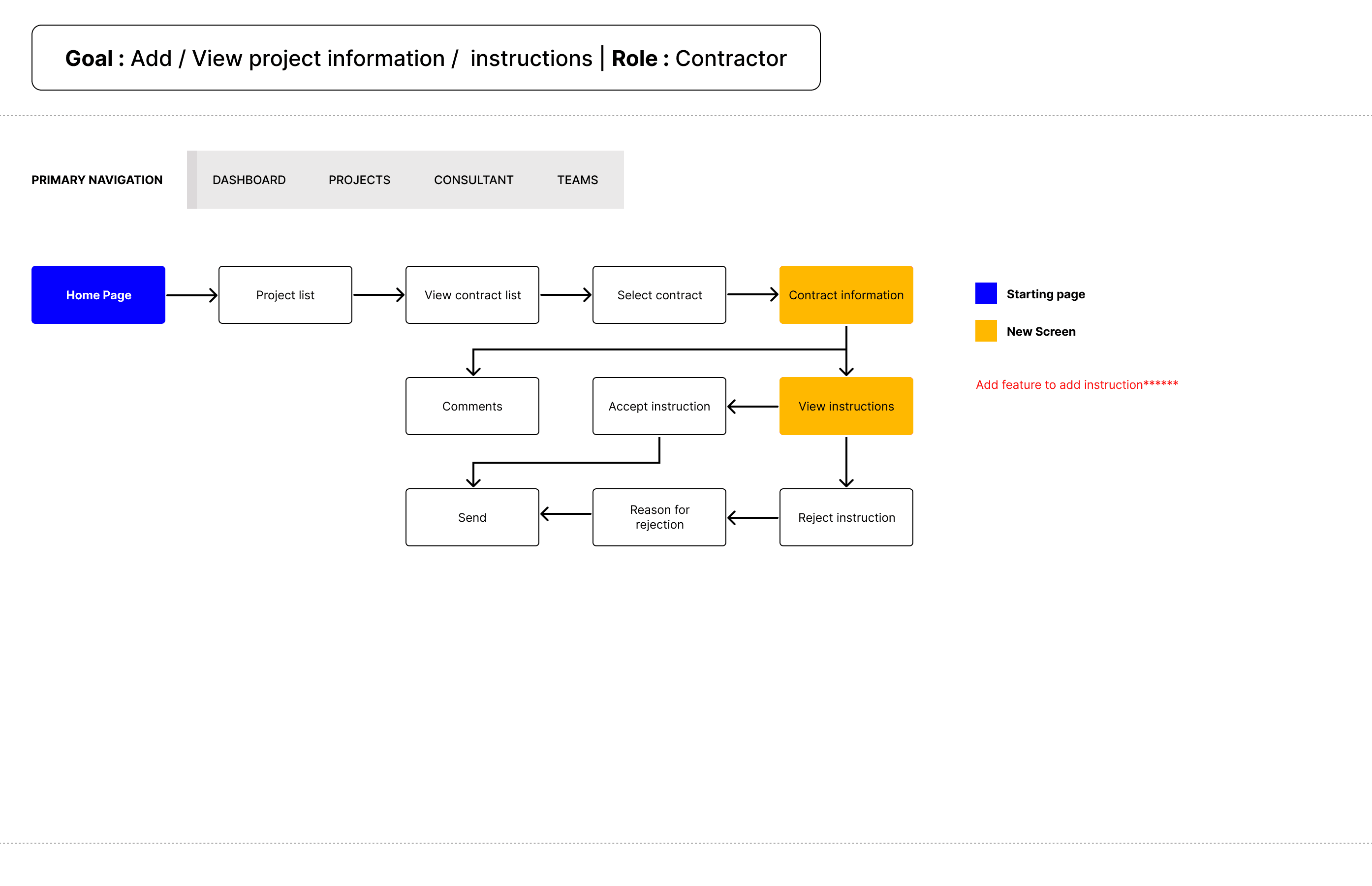
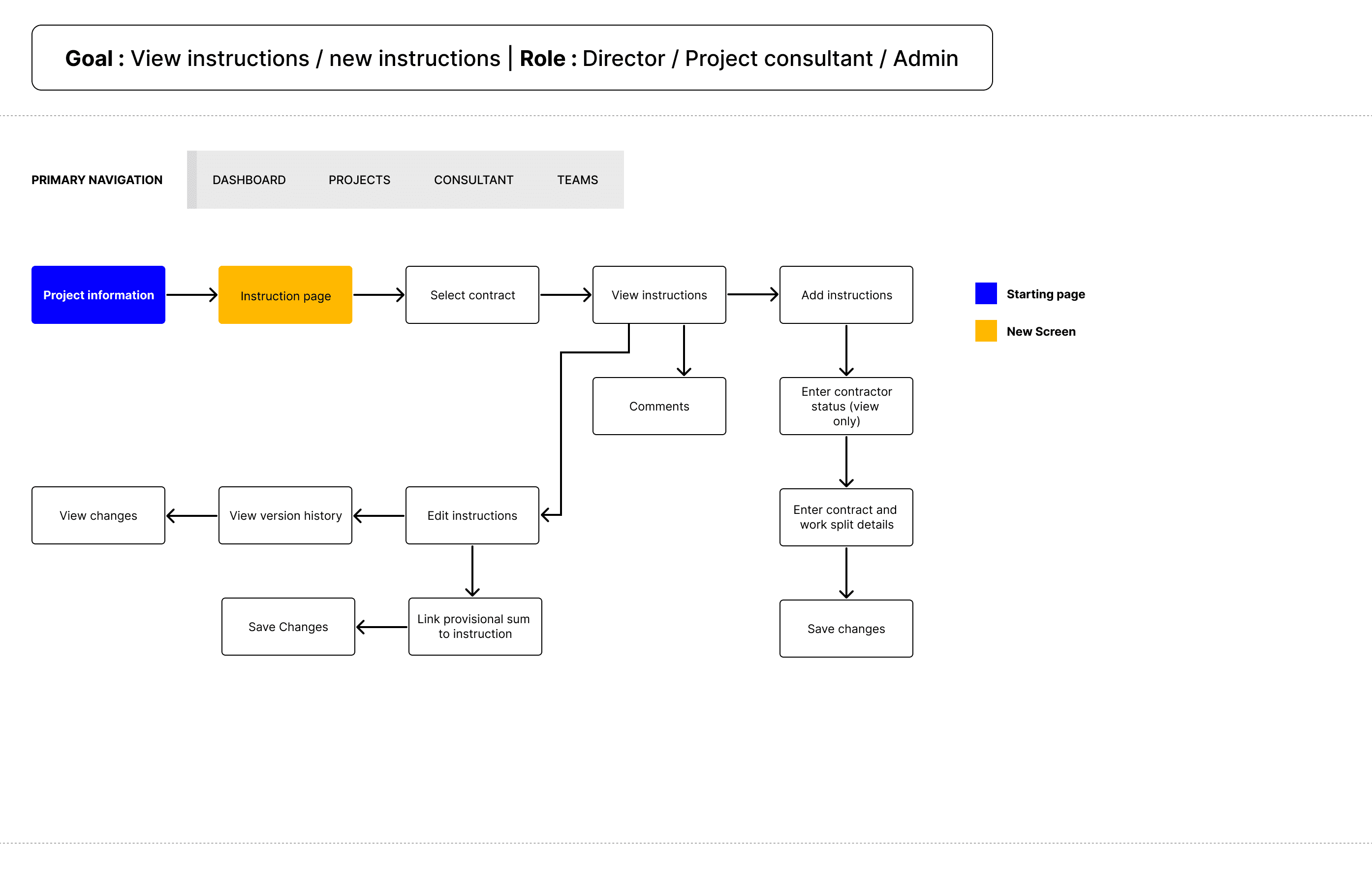
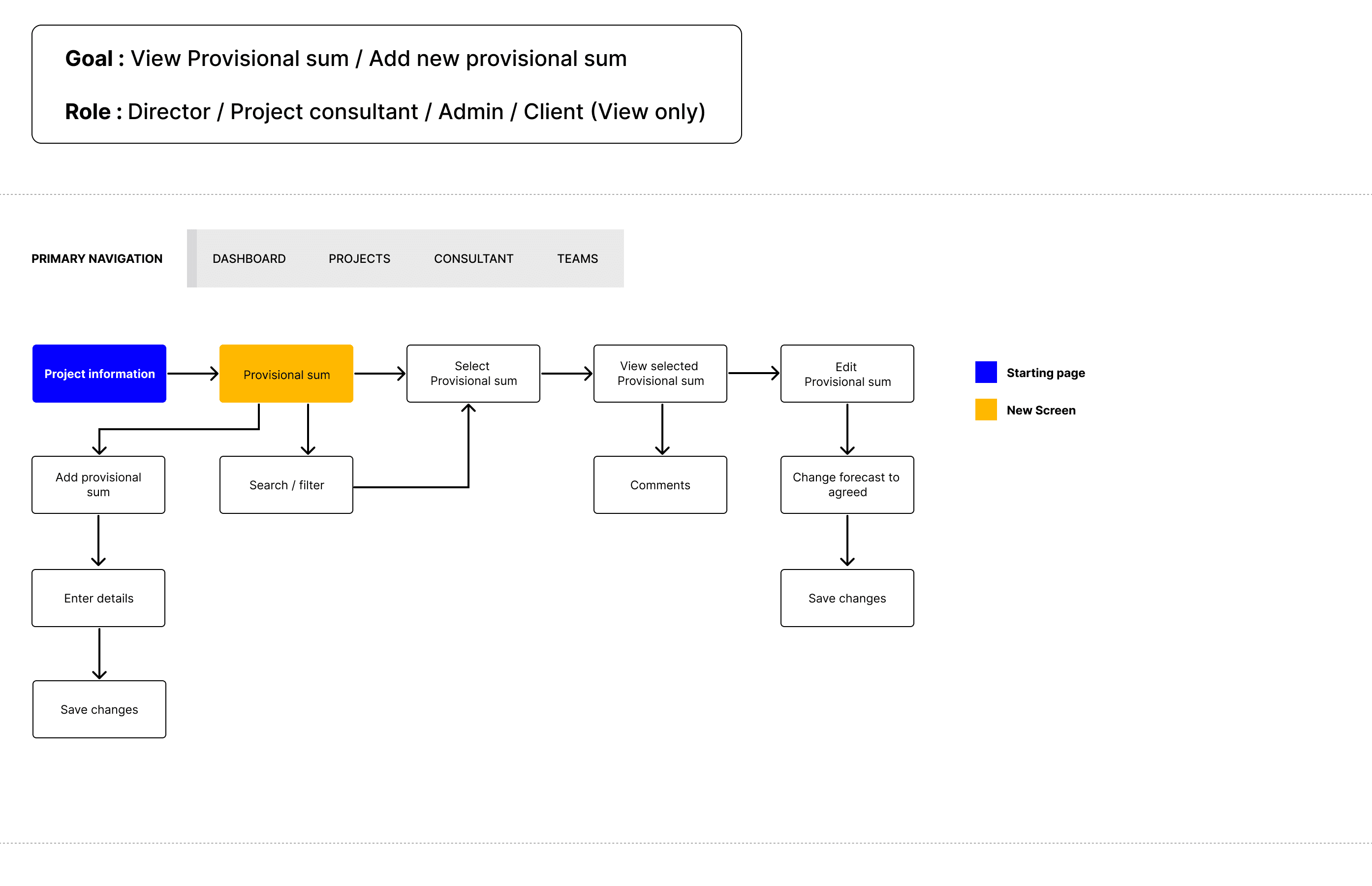
Based on the data and role requirements, I defined 25–30 use case scenarios to ensure the system supported real-world workflows. I then redesigned the information architecture to:
Reduce unnecessary steps
Minimize clicks
Create clearer, role-specific task flows
This helped align teams and provided a strong foundation for design decisions.
Sketches & Wireframes
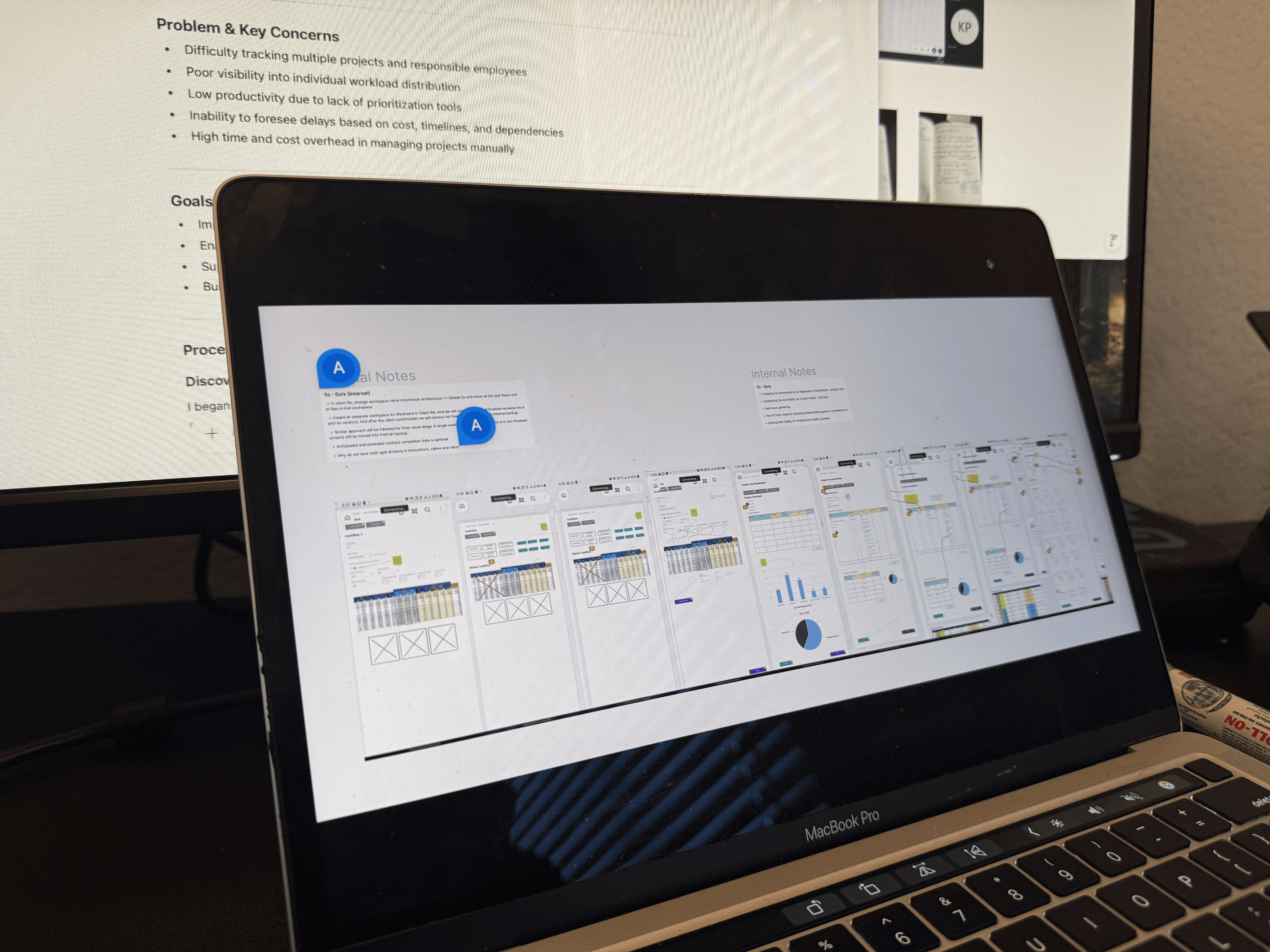
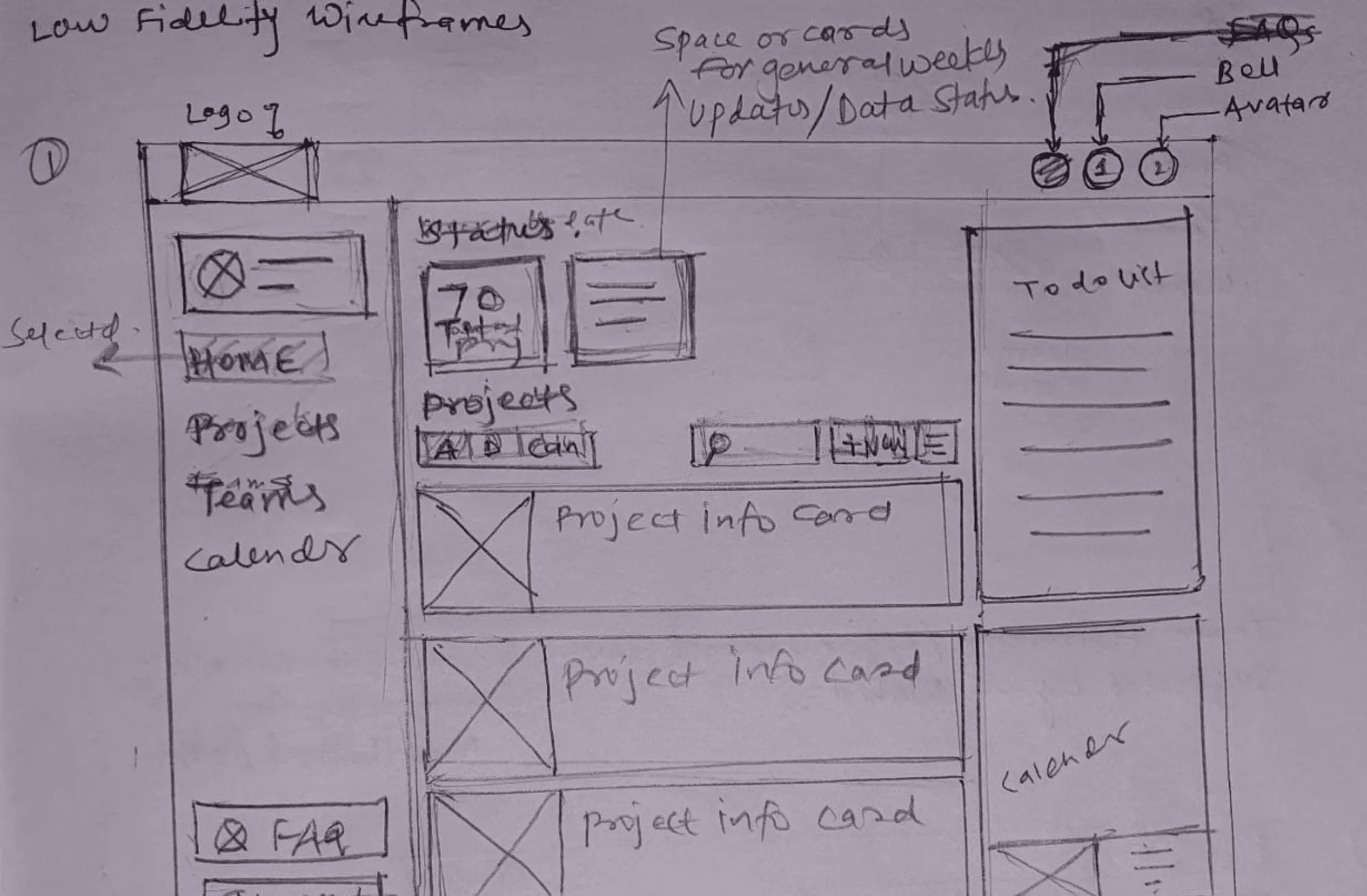
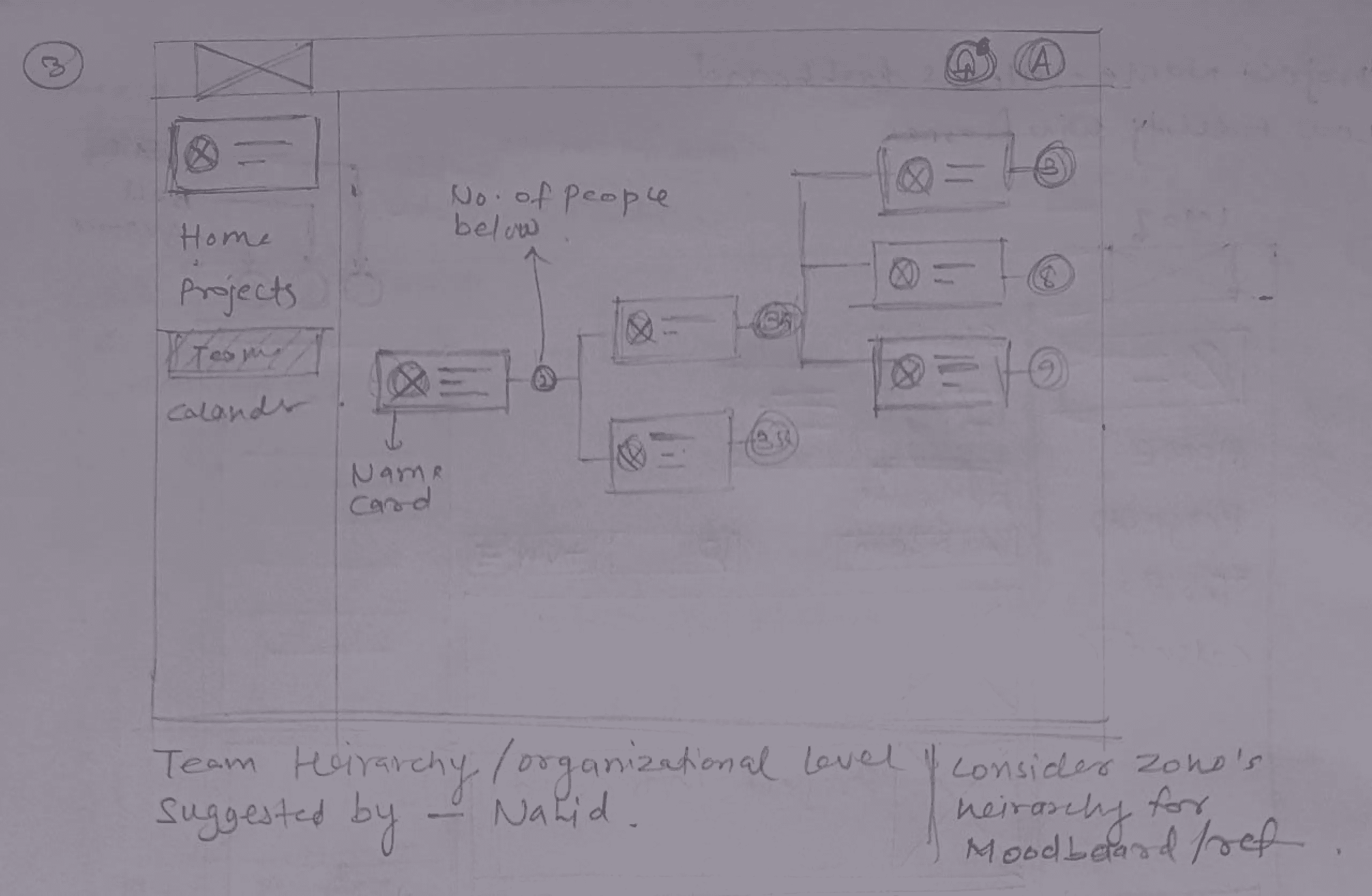
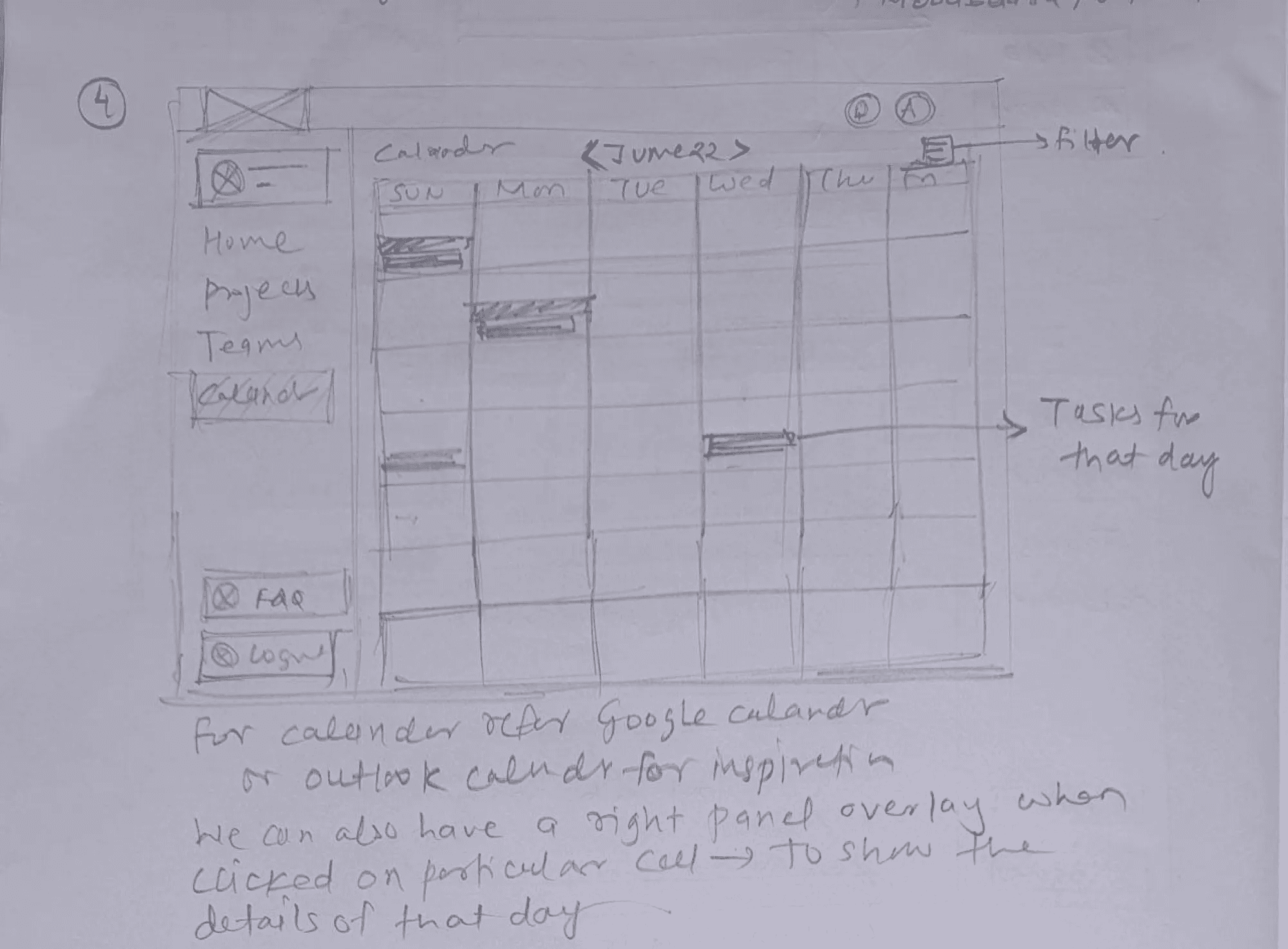
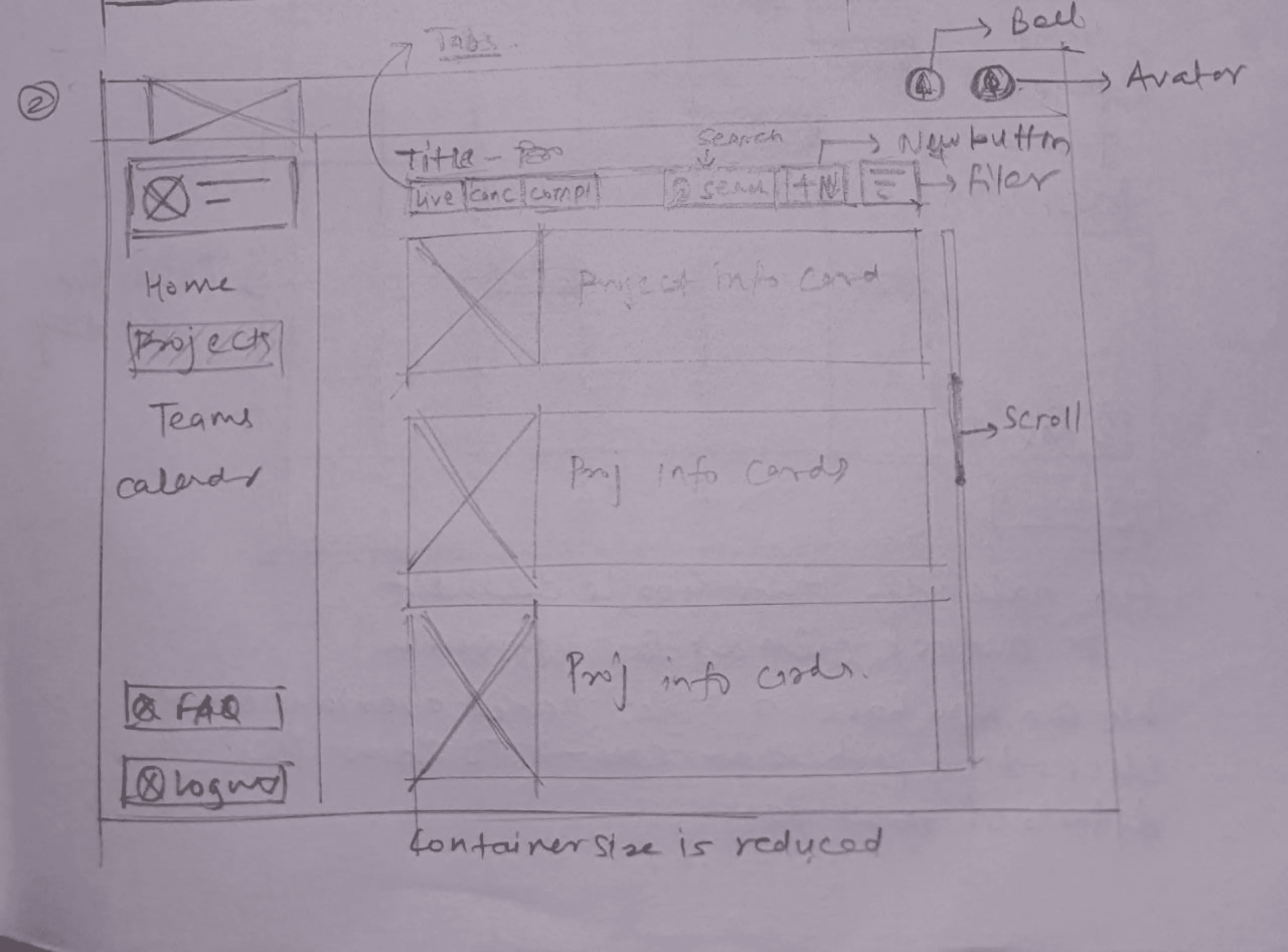
Using insights from task flows, I explored layout and structure through low- and mid-fidelity wireframes. The goal was to translate complex workflows into clear, predictable patterns before moving into visual design.
USABILITY TESTING
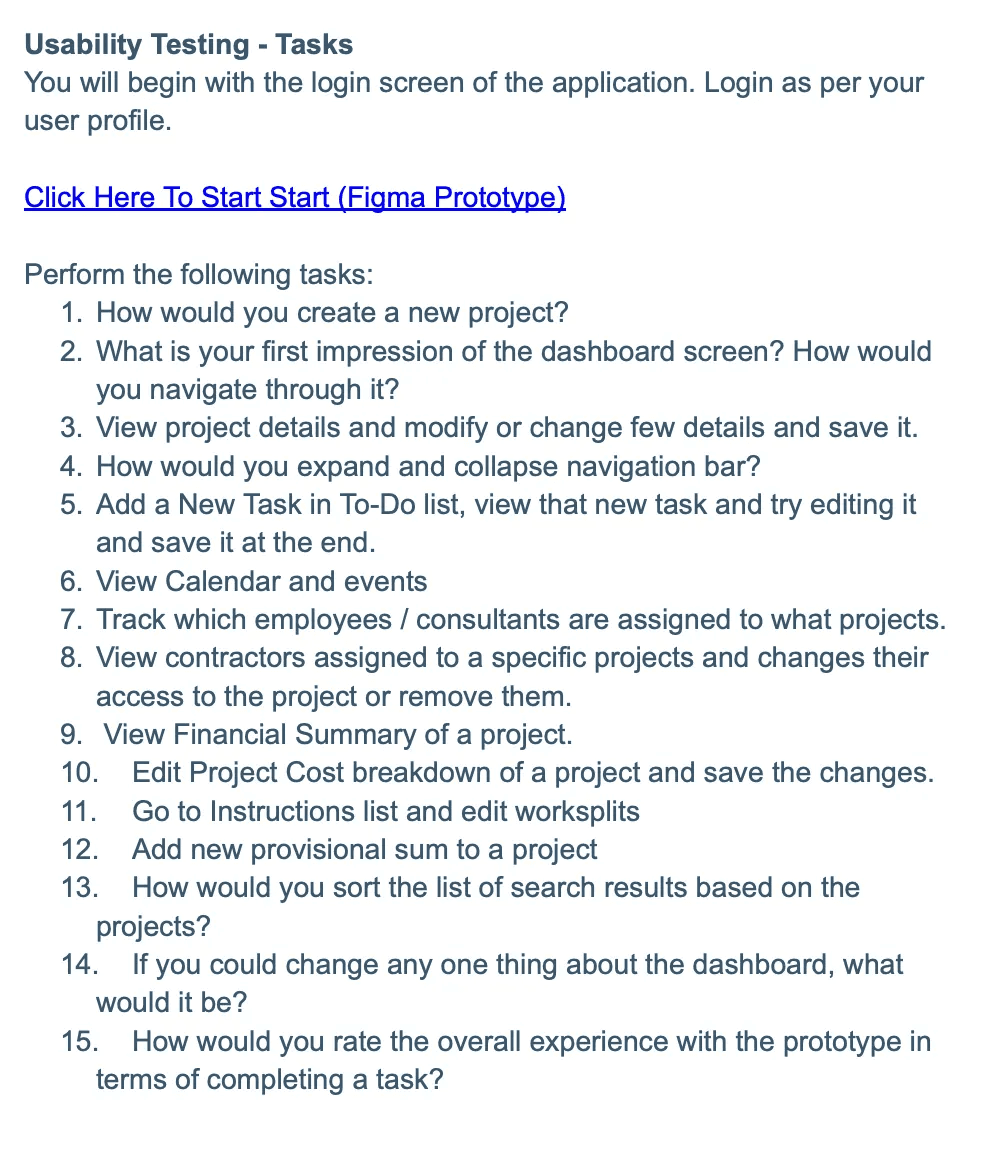
Usability testing was conducted to validate:
Ease of use
Task completion speed
Flow clarity across roles
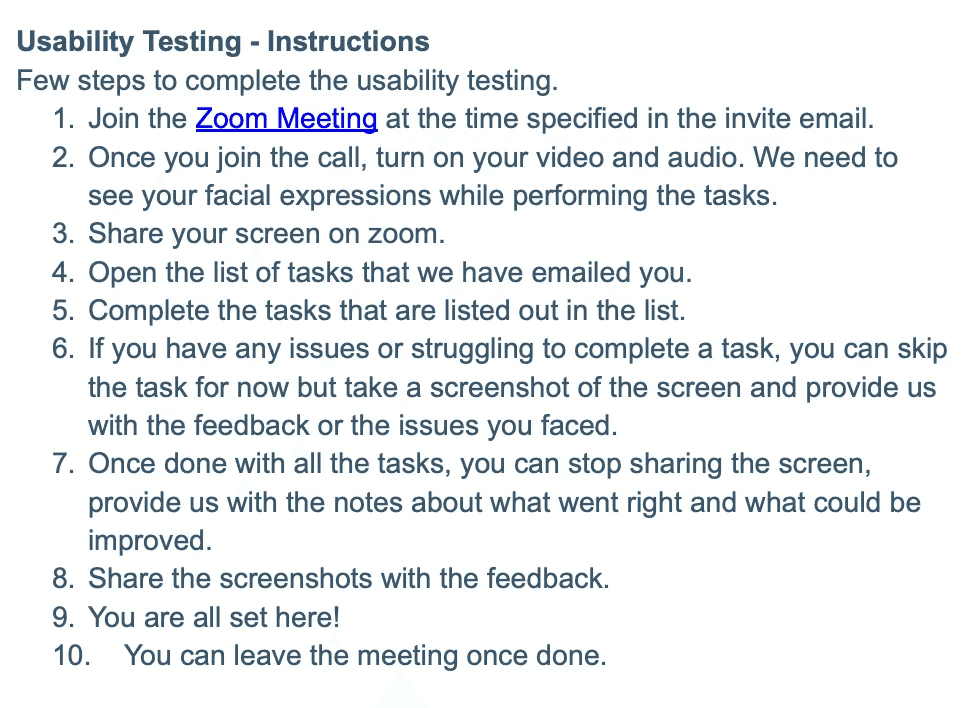
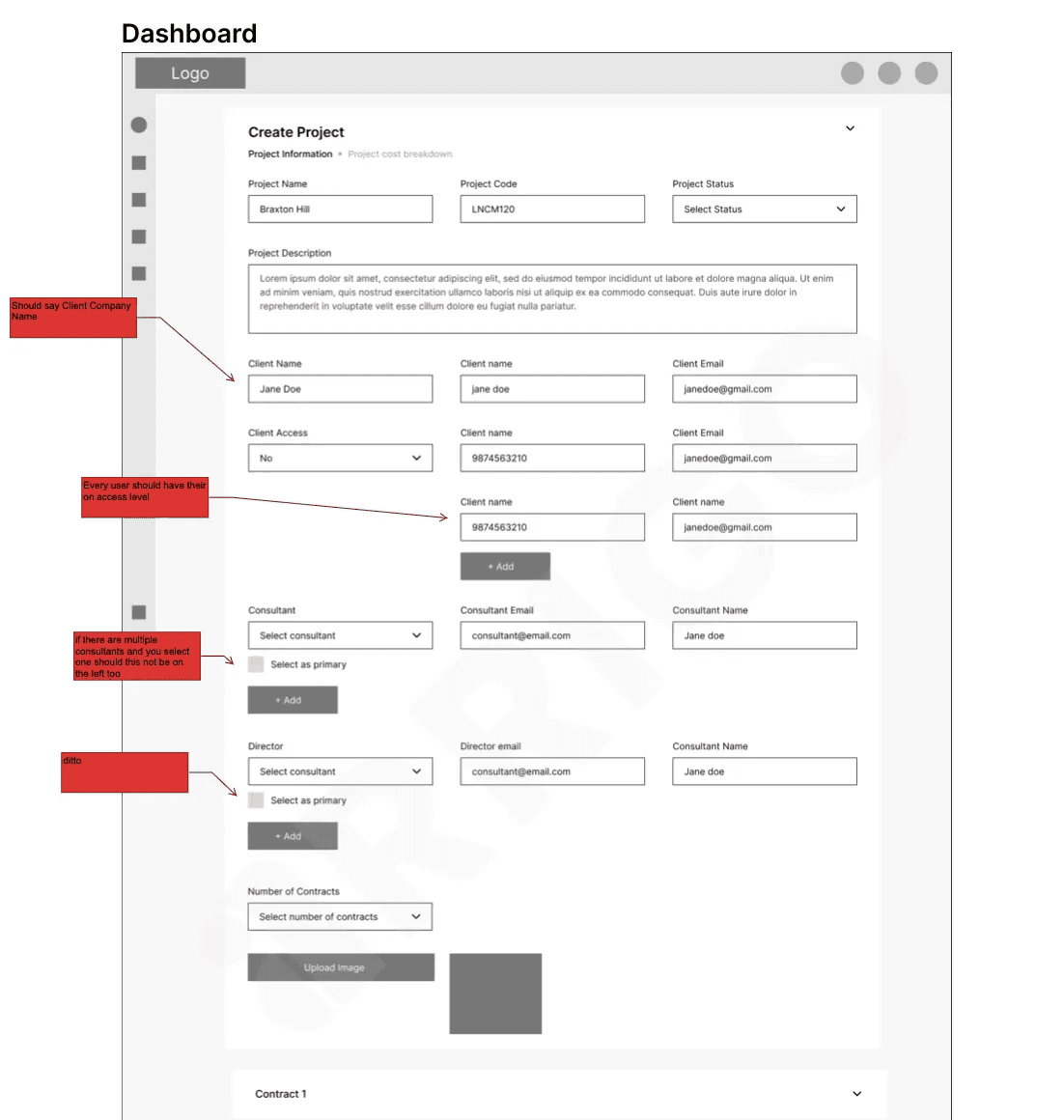
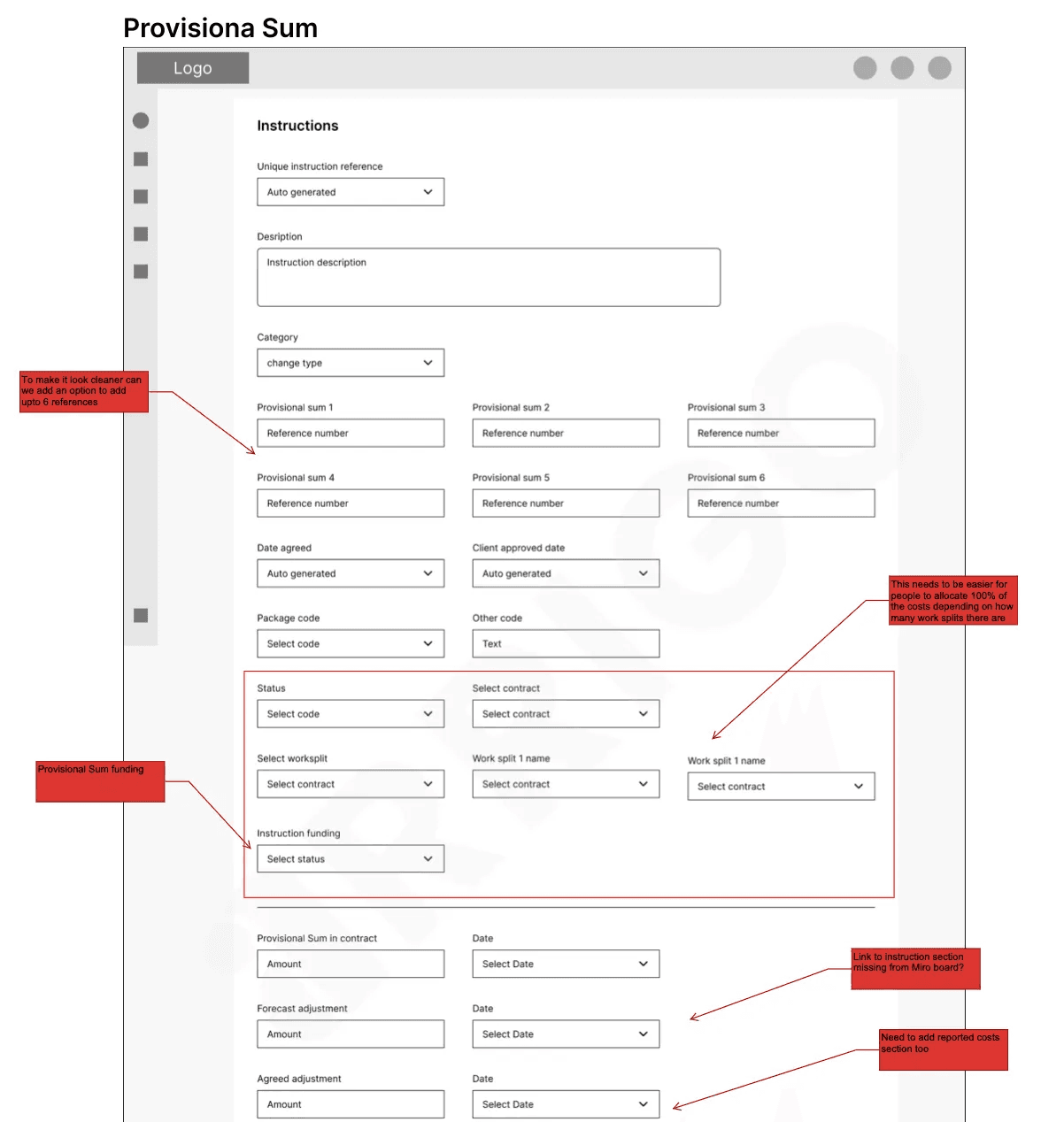
Moderated remote sessions were held with stakeholders completing real tasks while sharing feedback. Observations helped refine navigation, hierarchy, and interaction patterns.
Feedback
The end users seemed to be quite satisfied with the task completion rate as we measured the level of satisfaction from their facial expression during the testing. Here are some snaps with the feedback provided by the users.
The first task we did with the data points was build a Object - Action & Object - Attributes matrix and presented it to the stakeholder to cross-verify and validate the matrix. With the stakeholders feedback, we were able to significantly reduce the cognitive load in understanding the complex & cluttered data.
COMPONENT LIBRARY & UI DESIGN
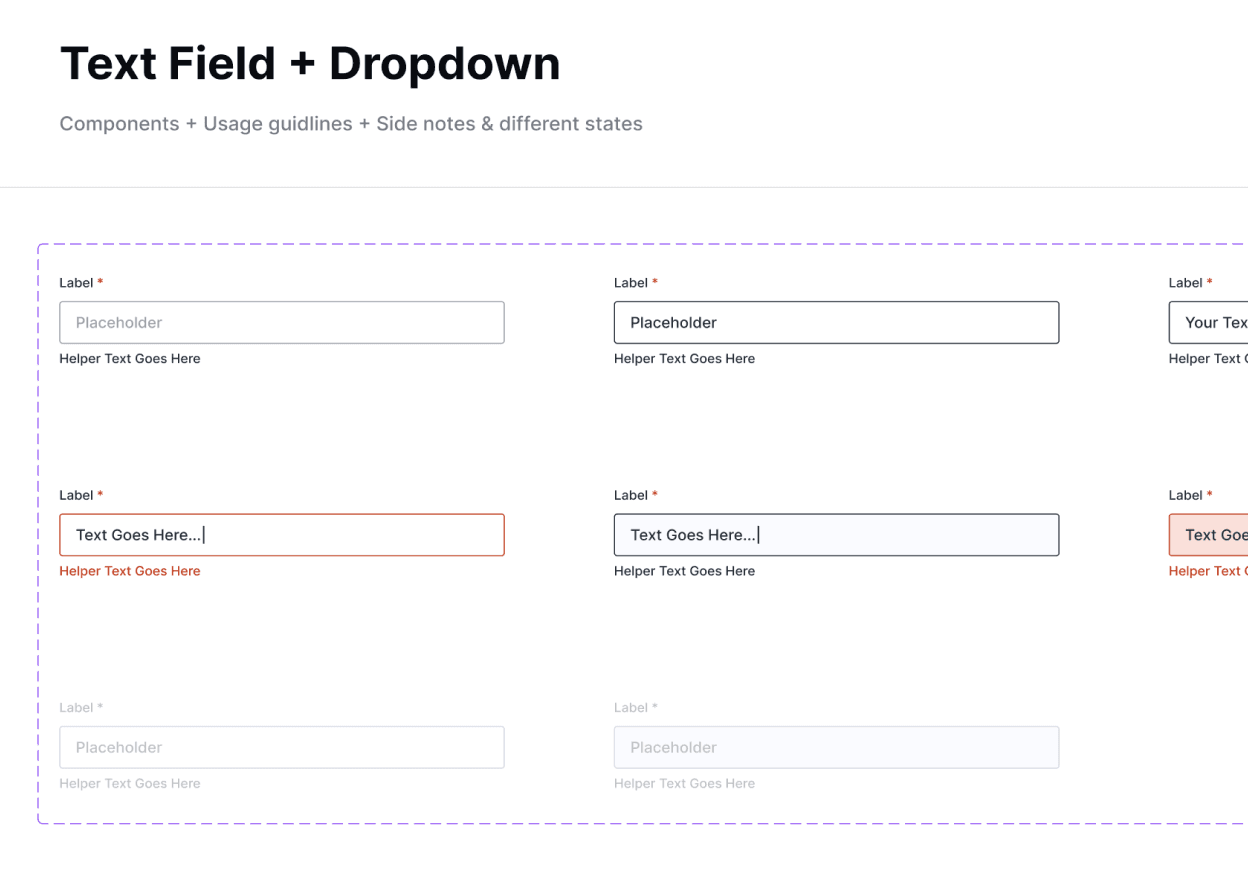
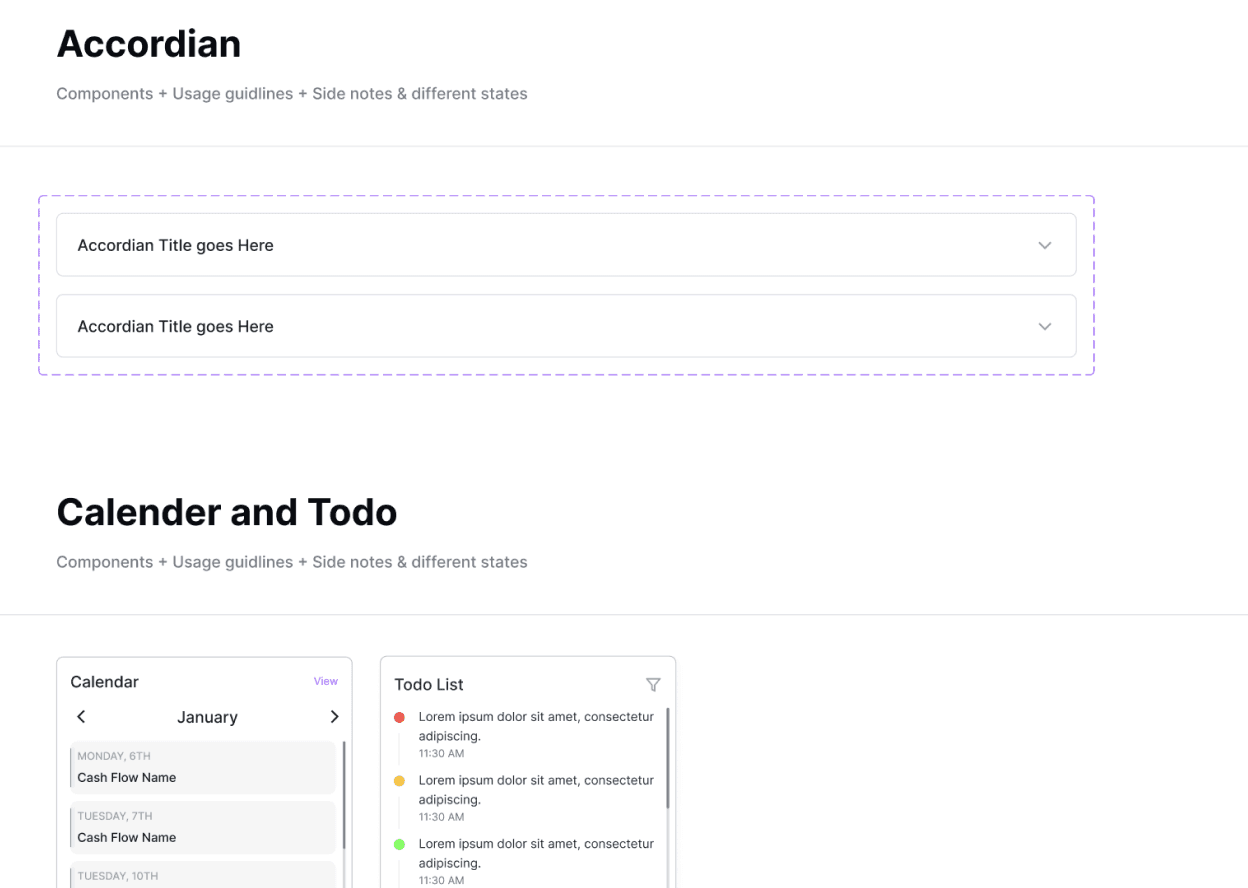
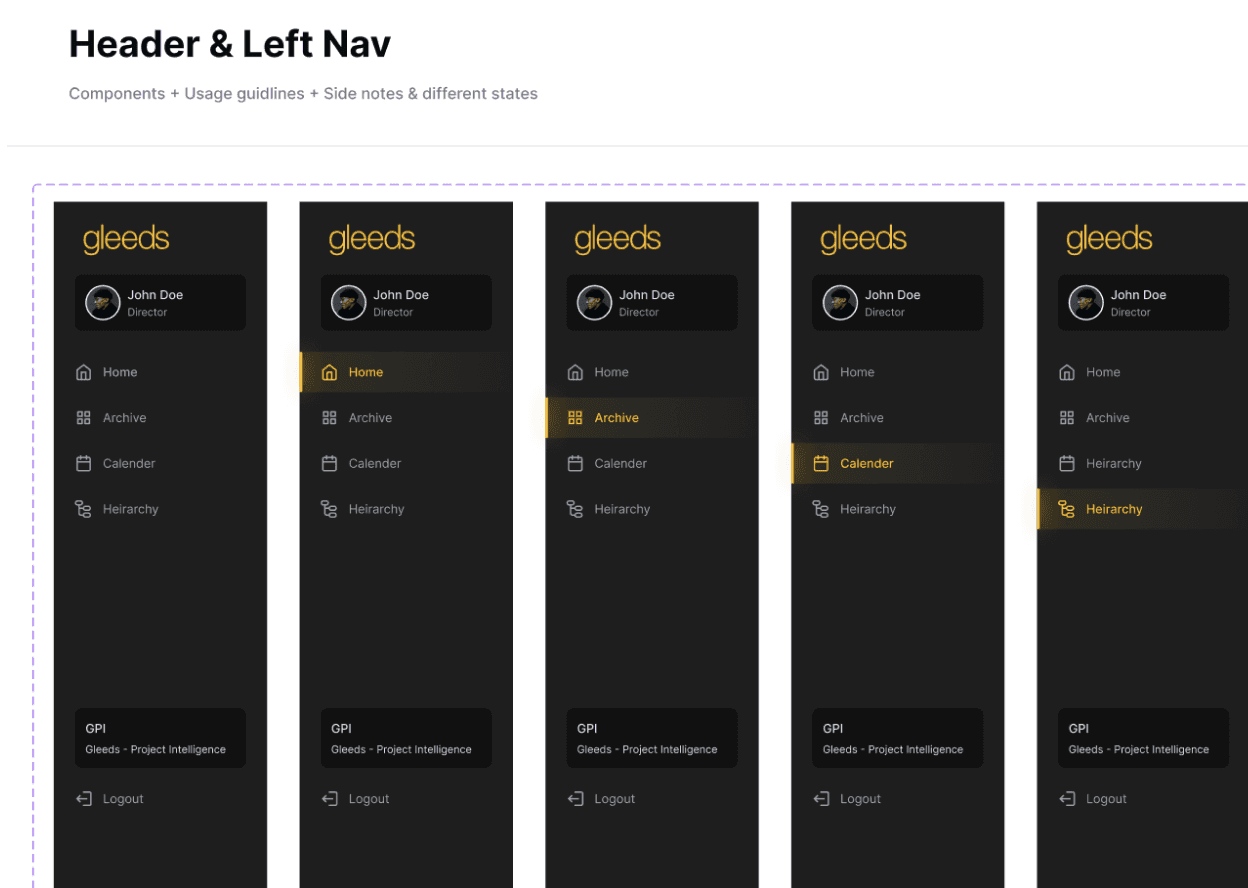
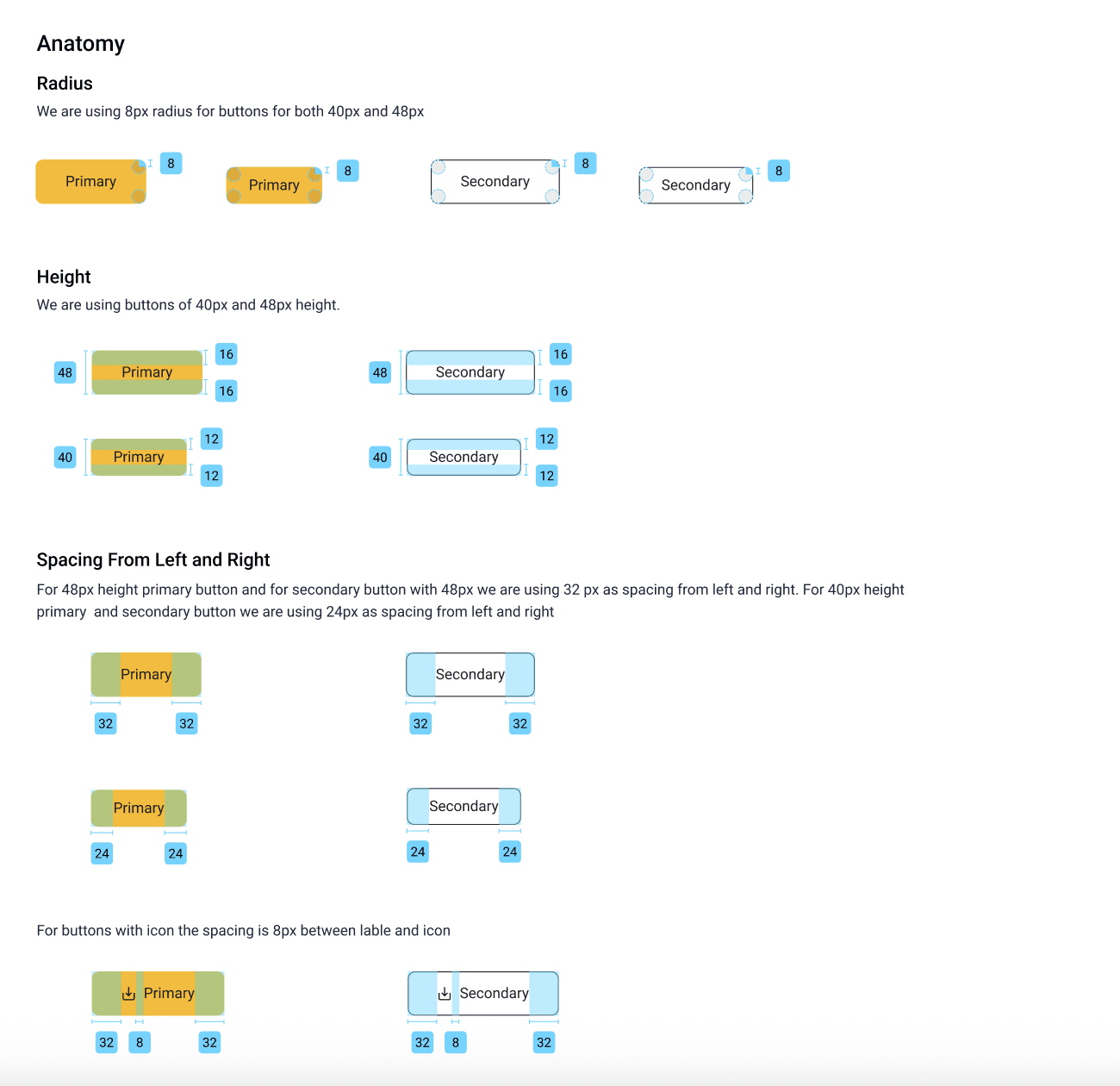
I designed a reusable component library to ensure consistency and scalability across the dashboard. The final UI focused on:
Clear data hierarchy
Reduced cognitive load
Role-based visibility
Simple, scannable layouts
RESULTS
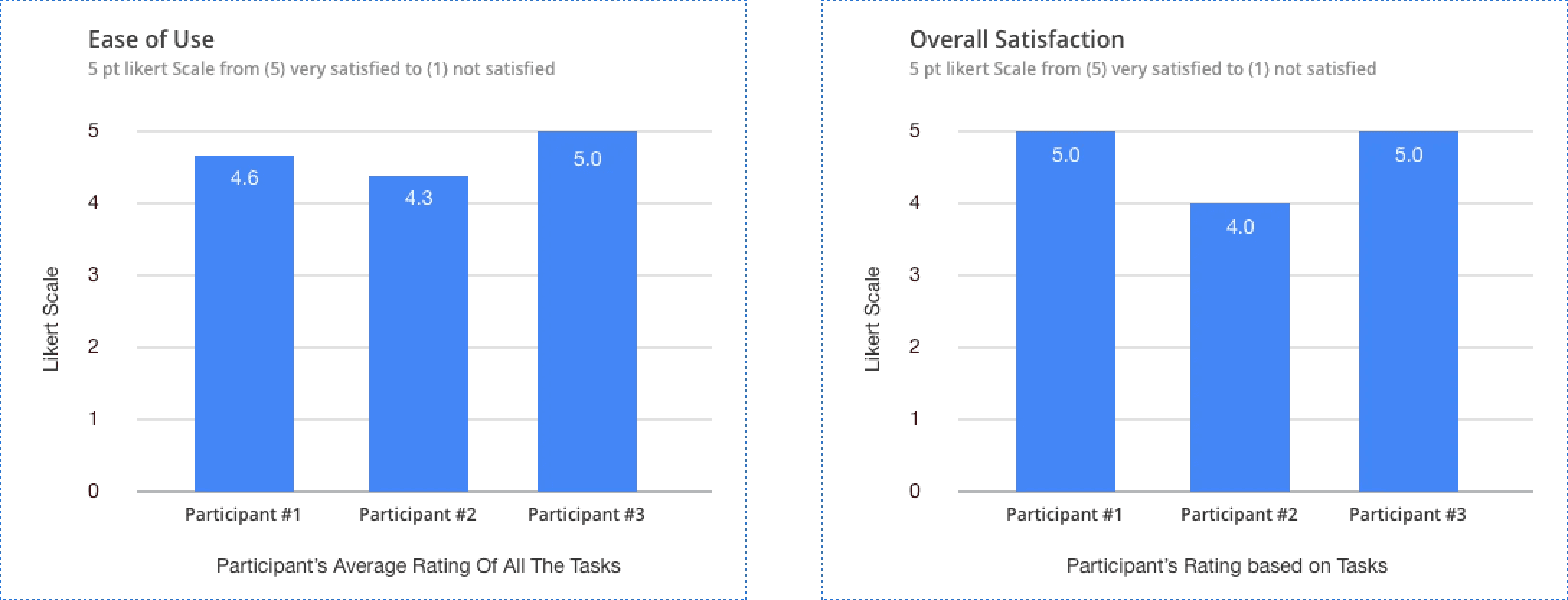
To evaluate effectiveness, success was measured using:
Ease of use
Overall user satisfaction
Testing showed improved task completion and higher confidence navigating complex project data.
WHAT COULD HAVE BEEN IMPROVED
More extensive user research with external users
A/B testing to validate design decisions at scale
Reducing long-form inputs using grid-based layouts to minimize scrolling
STAKEHODLER FEEDBACK
“It was a pleasure to work with Tanvi and team. We had a very complex requirement to create a bespoke application, and the end result was brilliant. The team was diligent, fast, and truly understood our business and vision. We look forward to continuing this partnership.”
CONCLUSION
This project highlights how clear information architecture and role-based design can transform complex operational workflows. By focusing on clarity, scalability, and usability, the dashboard empowered teams to manage projects more efficiently, reduce overhead, and make better-informed decisions.